
Software testing involves assessing and validating a software application or system to determine whether it meets defined requirements and performs as expected. It is a key part of the Software Development Life Cycle (SDLC), as it plays an important role in maintaining software quality, reliability, security, and user satisfaction.
A well-planned testing process helps teams uncover functional defects, performance problems, security weaknesses, and other issues before they affect end users. Both manual and automated testing can improve software quality by detecting problems earlier, reducing production risks, limiting security incidents, and preventing poor user experiences.
As modern applications become more complex and development teams move toward faster release cycles, depending entirely on manual testing can make it difficult to maintain adequate test coverage. This is where software testing tools become valuable.
Software testing tools help teams manage different stages of the testing process, including test planning, execution, monitoring, analysis, reporting, and defect tracking. Developers, testers, and Quality Assurance (QA) professionals use these tools to automate repetitive activities, expand test coverage, speed up testing, and maintain more consistent quality throughout development.
With a wide range of testing solutions available today, finding the right tool can be challenging. In this guide, we compare 10 of the best software testing tools, looking at their key features, pricing, use cases, and ideal users to help you identify the solution that best fits your testing requirements.
Before diving into the available tools, it is important to understand what to look for when selecting a software testing solution.
What Are Software Testing Tools?
Software testing tools are specialized platforms, frameworks, and utilities that help teams evaluate how software works, detect defects, and verify that an application meets its expected requirements. They can support different testing activities throughout the software development lifecycle, including planning, execution, analysis, and reporting.
Unlike general development tools, testing solutions are built specifically to help teams assess software quality, reliability, functionality, security, and performance. They can be used across different types of applications, including web and mobile apps, APIs, desktop software, and other digital products.
Most software testing tools support three core areas:
- Test Design & Planning: These tools help QA teams determine what needs to be tested, create and organize test cases, prepare test data, and plan testing activities before execution begins.
- Test Execution: Testing tools can run test cases manually or automatically against the application being tested. Depending on the tool, they may support web applications, mobile apps, APIs, desktop software, and different testing environments.
- Result Analysis & Reporting: After tests are completed, these tools collect results, identify failed tests, capture relevant evidence, and generate reports. This gives developers and QA teams clearer insights into defects and overall software quality.
Types of Software Testing Tools Explained
Software testing tools can be grouped into different categories based on when they are used and the type of testing they support. Knowing these categories makes it easier for development and QA teams to choose tools that match their specific testing requirements.
Static Testing Tools
Static testing tools examine source code, documentation, and design elements without running the software. They are commonly used during the early stages of development to detect potential issues before the application reaches the execution stage.
Some common types of static testing tools include:
- Flow analyzers: Examine how data moves through different parts of an application.
- Coverage analyzers: Check whether the required logical paths and code areas have been reviewed.
- Interface analyzers: Assess how effectively data is exchanged between different modules.
- Path testing tools: Help identify unused, inconsistent, or problematic code paths.
Dynamic Testing Tools
Dynamic testing tools assess how software behaves while it is running by comparing actual outputs with expected results. They support both functional and non-functional testing activities.
These tools allow teams to test applications under real execution conditions using test data and user inputs. They are commonly used for functional, performance, security, and usability testing, helping identify issues that appear during runtime.
11 Best Software Testing Tools
Every software project comes with its own testing needs, so there is no single tool that fits every team. This list brings together a combination of open-source, free, freemium, and commercial software testing tools covering different testing requirements and environments.
Here are the tools to consider:
| Tool | Type | Best For | Pricing | Open Source |
|---|---|---|---|---|
| Selenium | Web Automation | Cross-browser web application testing | Free | Yes |
| JUnit 5 | Unit Testing Framework | Java/JVM testing and Test-Driven Development | Free | Yes |
| Keploy | API Test Generation | Zero-code API and integration testing | Freemium | Yes |
| Apache JMeter | Performance Testing | Load and stress testing | Free | Yes |
| Robot Framework | Acceptance Testing | Acceptance test-driven development and RPA | Free | Yes |
| Appium | Mobile Automation | Testing native, hybrid, and progressive web apps | Free | Yes |
| Cucumber | BDD Testing | Behavior-driven testing and team collaboration | Free | Yes |
| Gatling | Load Testing | Performance and scalability testing | Freemium | Yes |
| TestNG | Testing Framework | Integration and unit testing | Free | Yes |
| Ranorex | UI Test Automation | Web, desktop, and mobile UI automation | Paid | No |
| TestComplete | Dynamic Automation | Web, mobile, and desktop application testing | Paid | No |
| Postman | API Testing | API development, testing, and validation | Freemium | No |
1) Selenium: Best Software Testing Tools
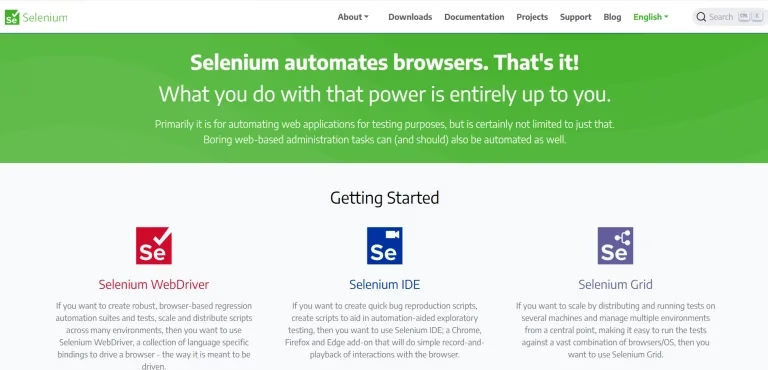
Selenium is an open-source browser automation framework widely used for web application testing. It helps QA and development teams automate browser-based tests across different browsers and operating systems. Selenium WebDriver allows testers to control browsers programmatically, while Selenium IDE supports recording and replaying browser actions. Selenium Grid can distribute tests across multiple machines and browser environments, making large test suites easier to execute in parallel.
Selenium supports multiple programming languages, allowing teams to create automation scripts in the language that best fits their development environment. It can be used to automate user actions, validate application behavior, and run repeatable browser tests.
Key Features
- Automate browser interactions: Use Selenium WebDriver to create scripts that perform actions such as clicking buttons, entering information into forms, navigating between pages, and validating elements on a website.
- Handle modern web applications: Selenium can automate applications with dynamic content and browser interactions without requiring testers to perform these actions manually.
- Run tests across multiple environments: Selenium Grid allows WebDriver tests to run across multiple machines, browsers, browser versions, and operating systems in parallel. This can help reduce overall execution time.
- Debug automation tests: Selenium IDE provides features such as breakpoints and pausing during test execution, making it easier to inspect and troubleshoot automated tests.
- Record and replay tests: Selenium IDE can record browser interactions and replay them as automated tests, making it useful for creating test cases without writing every interaction manually.
Pricing
Free: Selenium is an open-source project, so there are no software licensing fees for using its core tools.
Related Read: Selenium Testing: Step-by-Step Tutorial (Basics to Advanced Automation)
2) JUnit 5

JUnit 5 is a testing framework built for Java and the JVM that helps developers create and execute repeatable automated tests. It is commonly used in Java development and supports approaches such as Test-Driven Development (TDD), where tests are created before the corresponding application code.
One of JUnit 5’s notable characteristics is its flexible extension model. Developers can customize test behavior at different stages of the testing lifecycle. Extensions can support capabilities such as custom annotations, parameter resolution, and lifecycle callbacks.
Key Features
- Modular testing architecture: JUnit 5 consists of three major components: JUnit Platform, JUnit Jupiter, and JUnit Vintage. Jupiter provides the programming and extension model for writing modern tests, while Vintage helps run tests created with older JUnit versions.
- Parameterized testing: The
@ParameterizedTestannotation allows developers to execute the same test with multiple sets of input data. Sources such as@ValueSource,@CsvSource, and customArgumentsProviderimplementations can be used to supply test data. - Repeat tests automatically: Use
@RepeatedTestto run the same test method a defined number of times, which can be useful when validating repeatable behavior. - Create nested test structures: Nested test classes allow related tests to be grouped logically, making larger test suites easier to organize and understand.
- Work with popular development tools: JUnit 5 integrates with development environments such as IntelliJ IDEA and Eclipse, as well as build tools including Maven and Gradle.
Pricing
Free: JUnit 5 is open source and does not require licensing fees.
3) Keploy

Keploy is an open-source platform for API and integration testing that automatically creates test cases and data mocks by recording real network traffic. Rather than asking developers to manually write and manage every test, Keploy captures actual service interactions and turns them into reusable, version-controlled test cases with minimal configuration.
Using an eBPF-based traffic capture architecture, Keploy works across programming languages and can be integrated into CI/CD pipelines. This makes it useful for teams developing microservices and API-driven applications that need broader test coverage without the time and effort involved in writing tests manually.
Key Features
- Generate API tests and mocks automatically: Capture real HTTP traffic and use it to create API test cases and data mocks without writing test scripts manually.
- Reduce mock drift: Self-healing mocks automatically adapt to changes in actual service behavior, helping reduce flaky tests caused by changing dependencies.
- Version-control test artifacts: Export test cases and mocks as YAML files for easy version control, portability, sharing, and collaboration.
- CI/CD integration: Connect Keploy with popular CI/CD platforms such as GitHub Actions, GitLab CI, and Jenkins.
- Filter and mask dynamic data: Handle non-deterministic values such as timestamps, UUIDs, and tokens through noise filtering and field masking for more consistent test results.
Pricing
- Free Playground: Free forever
- Pro: $19 per user/month, including $19 in usage credits
- Enterprise: Custom pricing with features such as SOC 2, GDPR, and HIPAA compliance and dedicated support
4) Apache JMeter

Apache JMeter is an open-source load-testing tool developed as an Apache project. It is designed to measure and analyze the performance of different services, particularly web-based software applications. JMeter can test both static resources, including HTML, JavaScript, and CSS, and dynamic resources such as APIs, database queries, and server-side scripts.
For teams that need to simulate high traffic and determine how a server, network, group of servers, or application performs under different workloads, Apache JMeter provides a flexible testing environment. It can help evaluate system strength, stability, and overall performance under varying load conditions.
Key Features
- Support multiple response formats: Extract information from formats such as JSON, HTML, and XML to create test inputs, verify response content, and build detailed assertions.
- Record real user activity: Use the built-in proxy server to capture interactions with a web application and generate test scripts based on those actions.
- Test multiple protocols and services: Run tests across HTTP, HTTPS, FTP, SMTP, POP3, IMAP, JDBC, LDAP, SOAP, JMS, and other supported services.
- Run tests concurrently: Separate thread groups can sample different functions at the same time, while multiple threads can perform concurrent requests.
- Analyze results offline: Cache test results so they can be reviewed and analyzed after the test session.
Pricing
Apache JMeter is free to use because it is an open-source tool distributed under the Apache License 2.0.
5) Robot Framework

Robot Framework is an open-source automation framework designed for acceptance testing, Acceptance Test-Driven Development (ATDD), and Robotic Process Automation (RPA). It uses a keyword-driven approach that makes test cases easier to create, reuse, and maintain.
One of its main advantages is the ability to create reusable keywords and apply them across multiple test cases. This reduces repeated work and helps teams maintain consistent testing practices. Robot Framework can also be extended through libraries and supports testing web applications, APIs, mobile applications, and other environments.
Because it is Python-based and has an extensive library ecosystem, Robot Framework can be adapted to different testing requirements. It can also work with tools such as Selenium for web automation and other libraries for specialized testing needs.
Key Features
- Detailed test reports and logs: Generate readable HTML reports and logs after test execution, making it easier to identify and troubleshoot failures.
- Simple and readable syntax: Test cases use a tabular format that makes them relatively easy to write, organize, and understand.
- Reusable keywords: Create higher-level keywords from existing ones and reuse them across multiple test cases.
- Extensible library ecosystem: Use built-in libraries or add external libraries to support specific testing requirements.
- Cross-platform support: Robot Framework is platform-independent and can be used across operating systems such as Windows, macOS, and Linux.
- Community support: Extensive documentation, forums, and community resources make it easier for testers and developers to learn and troubleshoot the framework.
Pricing
Free. Robot Framework is open-source software released under the Apache License 2.0.
6) Appium

Appium is an open-source automation framework designed for testing native, hybrid, and mobile web applications. It supports UI automation across mobile, desktop, browser, TV, and other platforms, including Android and iOS.
Appium uses the WebDriver protocol to automate applications and allows testers to write tests in several popular programming languages, including Java, Python, Ruby, and JavaScript. This gives development and QA teams flexibility to use languages they already know.
Another important benefit is that Appium is designed to automate applications without requiring testers to modify or recompile the app specifically for testing. Teams can also use Appium with real devices, simulators, and emulators to test applications under different conditions.
Appium’s architecture is modular and extensible. Drivers provide support for different platforms, while clients and plugins extend its capabilities for specific testing environments and workflows.
Key Features
- Multi-language support: Write automation scripts using languages such as Java, Python, Ruby, JavaScript, and other supported languages.
- Cross-platform automation: Test native, hybrid, and mobile web applications across platforms such as Android and iOS.
- WebDriver-based automation: Use the WebDriver protocol to create and execute automated UI tests.
- Real device and virtual testing: Run tests on physical devices as well as emulators and simulators.
- Touch interaction testing: Automate common mobile interactions such as tapping, swiping, zooming, and pinching.
- Extensible architecture: Use drivers, clients, and plugins to adapt Appium to different platforms and testing requirements.
- Active ecosystem: Access official documentation, community resources, drivers, and plugins for extending automation capabilities.
Pricing
Free. Appium is open-source software available under the Apache 2.0 license.
7) Cucumber

Cucumber is an open-source tool designed to support Behavior-Driven Development (BDD). It helps developers, testers, product teams, and other stakeholders work together by allowing test scenarios to be written in plain, easy-to-understand language. Cucumber uses Gherkin, a structured language for describing software behavior through readable scenarios.
Cucumber can produce test reports that show the outcome of individual scenarios, making it easier for teams to identify successful and failed tests and understand what needs attention. Its scenarios can also serve as living documentation because they describe how the software is expected to behave.
Key features
- Create living documentation that can be easily maintained and shared with the team.
- Connect Cucumber with different testing frameworks and tools, including JUnit, TestNG, and RSpec.
- Run the same scenario with different sets of test data using Scenario Outlines and Examples tables.
- Reuse step definitions across multiple scenarios to reduce repeated code and simplify test maintenance.
- Organize scenarios with tags and use those tags to run selected groups of tests, such as smoke tests, regression tests, or tests for a specific feature.
- Write executable specifications in a format that both technical and non-technical team members can understand.
Pricing
Cucumber is available as an open-source tool at no cost. The open-source software is distributed under its applicable open-source licensing terms.
8) Gatling

Gatling is an open-source performance and load-testing solution designed to evaluate how applications behave under different levels of traffic. It is built for high-performance testing and can help teams identify bottlenecks, measure application responsiveness, and understand how systems perform under simulated user loads.
Gatling uses a code-based Domain-Specific Language (DSL), with Scala at its core, to define test scenarios. This approach allows testers and developers to create detailed load simulations while maintaining their tests as code.
Key features
- Build detailed performance-testing scenarios with concise code instead of lengthy configuration files.
- Define response-time thresholds and use them to identify requests that exceed acceptable performance limits.
- Monitor testing results through metrics and graphical reports to help locate performance bottlenecks.
- Validate important performance indicators, including response time, throughput, and error rates.
- Configure different load patterns to simulate realistic traffic, including gradual ramp-ups, steady workloads, and peak-load testing.
- Create reusable and maintainable performance tests that can be integrated into development and delivery workflows.
Pricing
Gatling provides an open-source option at no cost. Commercial plans are also available for teams that require additional capabilities and support.
The pricing mentioned in the original content includes:
- Basic: $106 per month for 2 users and 60 minutes
- Team: $424 per month for 10 users and 300 minutes, along with advanced features
9) TestNG

TestNG is an open-source testing framework for Java that was influenced by JUnit and NUnit. It extends traditional testing capabilities with features such as annotations, test grouping, dependencies, parallel execution, and detailed reporting.
TestNG includes a broad collection of annotations, including @BeforeSuite, @AfterSuite, @BeforeClass, @AfterClass, @BeforeMethod, and @AfterMethod. These annotations help developers control when specific setup and cleanup activities take place during test execution.
The framework can support different testing needs, including unit and integration testing. It also works with popular build systems such as Maven and Gradle and integrates with IDEs including IntelliJ IDEA, Eclipse, and NetBeans.
Key features
- Group and organize tests logically while controlling execution order, parallelism, and other suite-level settings.
- Define dependencies between test methods and groups using attributes such as
dependsOnMethodsanddependsOnGroups. - Set execution time limits with the
timeoutattribute to prevent tests from running longer than expected. - Use TestNG to execute existing tests, including JUnit-based tests, while also creating new tests with TestNG.
- Generate detailed HTML and XML reports that provide useful information about test execution and results.
- Configure test suites to run multiple tests concurrently, helping reduce overall execution time.
Pricing
TestNG is free and open source. It is available under the Apache License 2.0.
10) Ranorex

Ranorex is a functional UI automation solution designed to test web, desktop, and mobile applications. It provides features such as advanced object recognition, record-and-replay functionality, and support for programming languages including VB.NET, Python, and C#.
Its intuitive interface, drag-and-drop capabilities, and keyword-driven testing approach make it accessible to testers with limited programming experience. Teams can create, manage, and maintain automated test cases without relying entirely on coding skills.
Ranorex can also connect with tools such as Jira, Jenkins, TestRail, and other DevOps platforms. These integrations help automate bug tracking, improve collaboration, and support faster software release cycles.
Key Features
- Reusable test modules: Create test components that can be reused across multiple test cases and projects, reducing the time and effort required for script maintenance.
- Reliable object recognition: Detect UI elements across different technologies and platforms, helping create more stable tests that are less affected by interface changes.
- CI/CD integration: Connect Ranorex with tools such as Jenkins, Azure DevOps, and Bamboo to identify defects earlier in the development lifecycle.
- Detailed reporting: Generate comprehensive test reports and execution logs with screenshots and video recordings to make troubleshooting easier.
- Cross-browser testing: Test applications across popular browsers, including Chrome, Firefox, Edge, and Internet Explorer.
Pricing
Ranorex provides all-inclusive licensing options with features designed to support different testing requirements. Pricing is available through a customized quotation from the sales team.
11) TestComplete
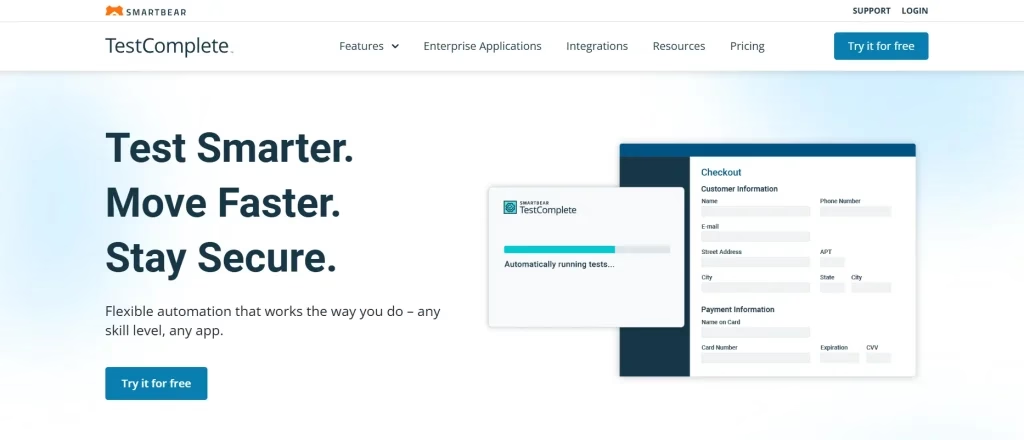
TestComplete, developed by SmartBear, is an automated software testing platform for web, desktop, and mobile applications. It includes a convenient record-and-playback feature that helps teams create automated tests with less manual effort.
The platform supports scripting languages such as JavaScript, Python, and VBScript. Testers can therefore create either traditional coded tests or keyword-driven tests without extensive scripting. Its object recognition technology is designed to help identify application elements consistently during test creation and execution.
Key Features
- Parallel and distributed testing: Run tests simultaneously across multiple machines to shorten execution times and improve the efficiency of large test suites.
- AI-powered object recognition: Reliably identify UI elements even when some of their properties change.
- UI and visual testing: Automate interface testing and verify the appearance, structure, and layout of applications.
- Gherkin support: Build test scenarios using plain-language Gherkin syntax based on the Given/When/Then format.
- CI/CD integrations: Connect TestComplete with popular development and delivery tools such as Jenkins, Azure DevOps, and TeamCity.
Pricing
The supplied pricing information includes the following TestComplete plans:
TestComplete Base
- Fixed: $4,326 for desktop, mobile, and web
- Floating: $8,736 for desktop, mobile, and web
TestComplete Pro
- Fixed: $4,799
- Floating: $7,799
TestComplete Advanced
- Fixed: Contact sales
- Floating: Contact sales
The supplied information also states that users can try the plans free for 14 days. TestComplete requires Windows to operate.
12) Postman
Postman is an API platform designed to support the development, testing, and deployment of APIs. It simplifies different stages of the API lifecycle and provides tools that help development and QA teams build, test, document, and collaborate on APIs more efficiently.
One of its useful capabilities is support for environment variables. Teams can define reusable variables for different configurations, such as development, staging, and production environments. This makes it easier to manage requests across multiple environments without repeatedly changing individual values.
Postman can also generate API documentation from collections, allowing teams to share structured documentation with stakeholders and API users. This helps keep API information organized and accessible.
Key Features
- HTTP request creation: Create and send different types of API requests, including GET, POST, PUT, DELETE, PATCH, and other HTTP methods.
- Version control: Manage Postman collections and environments through Git integrations, making it easier to track changes.
- API governance: Apply governance rules to help ensure APIs follow organizational standards throughout design, development, testing, and distribution.
- Mock servers: Create simulated API endpoints when the actual API is unavailable or when individual components need to be tested separately.
- Organized collections: Group API requests into collections for easier management, maintenance, and collaboration. Teams can share collections to maintain consistency across testing workflows.
Pricing
The supplied pricing information lists these Postman plans:
- Free: $0 for teams of up to 3 users
- Basic: $19 per user per month for a single team
- Professional: $39 per user per month for larger teams, cross-organization collaboration, and external partners
- Enterprise: Contact sales for organization-wide API development
According to the supplied content, Postman is available under the Apache License 2.0.
Key Criteria to Consider Before Choosing a Software Testing Tool
- Ease of use: Choose a testing tool with a simple interface and an intuitive workflow. It should be easy to set up, learn, and use without requiring extensive training. A complicated learning curve can slow down teams and reduce user adoption.
- Reporting and analytics: Look for tools that offer detailed and customizable reports and dashboards. These should help teams understand test results, coverage levels, failed tests, and defect trends.
- Test coverage and testing types: The tool should support the types of testing your project requires, including functional, performance, security, and usability testing. It should also support different testing stages, such as unit, integration, system, and acceptance testing.
- Scalability and performance: Make sure the tool can support growing projects with large test suites, complex applications, and increasing volumes of test data. It should maintain reliable performance as testing requirements expand.
- Integration with development tools: Strong integration with your existing development environment is important. The testing tool should work smoothly with version control platforms such as Git, CI/CD pipelines, and issue-tracking systems such as Jira.
- Support for different environments and platforms: Consider whether the tool can test the applications you actually use, including web, mobile, desktop, and cloud-based applications. Compatibility across major operating systems, devices, and browsers is also important when evaluating your options.
Final Take
The right software testing tool should do more than offer a long list of features. It should simplify your testing workflow, match your team’s technical skills, and support reliable software delivery. Current guidance on testing tool selection also emphasizes evaluating workflow fit, integrations, application type, team expertise, and long-term maintenance rather than choosing based on features alone.
The testing ecosystem includes a wide range of tools designed for different requirements. For example, Selenium supports browser automation, while Postman is widely used for API testing. Each tool serves a different purpose, so the right choice depends on what you need to test and how your team works.
When comparing software testing tools, look beyond the feature list. Consider your testing goals, application type, existing technology stack, team expertise, integrations, maintenance requirements, and budget. Trying a few suitable options with real project scenarios can help you determine which one fits your workflow best.
If you prefer an all-in-one approach, TestGrid.io offers a range of capabilities designed to help teams standardize and scale their testing processes. Its platform supports areas such as scriptless testing and IoT testing, along with access to more than 1,000 browsers and operating systems.
Frequently Asked Questions
What common mistakes should you avoid when selecting a software testing tool?
Avoid selecting a testing tool simply because it is popular without first checking whether it works well with your existing systems and workflows. It is also important to consider the total cost of ownership, including training, maintenance, and support, as these expenses can increase the overall budget. Failing to involve key stakeholders during the selection process may also lead to choosing a tool that does not fully address your testing requirements.
How do cloud-based software testing tools compare with traditional on-premises solutions?
Cloud-based testing tools provide benefits such as easy scalability, remote access, and lower initial investment. These features can make them suitable for distributed teams and projects with changing requirements. On-premises testing solutions, on the other hand, generally offer more control over data security and system customization. However, they can involve significant infrastructure costs as well as continuous maintenance and management.
Can open-source software testing tools support enterprise-level testing?
Yes, open-source testing tools can support enterprise-level testing when they are properly selected, configured, and integrated. They can provide greater flexibility, customization options, and cost savings. However, organizations may need additional resources for setup, integrations, maintenance, and technical support to meet enterprise performance and operational requirements. Consulting the respective vendors or maintainers can also help clarify whether a specific tool is suitable for enterprise use.
What are the two primary categories of software testing?
The two primary categories of software testing are functional testing and non-functional testing. Functional testing checks whether the software performs its intended functions correctly. Non-functional testing focuses on areas such as performance, usability, security, and overall quality to determine whether the software meets expected standards and user requirements.