

Best Task Manager App

TickTick
Cross-platform task, note-taking, and planning app with calendar views and habit tracking.
Paid Subscription35.99
- Web app
- iOS (iPhone & iPad)
- Android
- macOS

Floating Markdown notes for Mac. Pay once, own your files
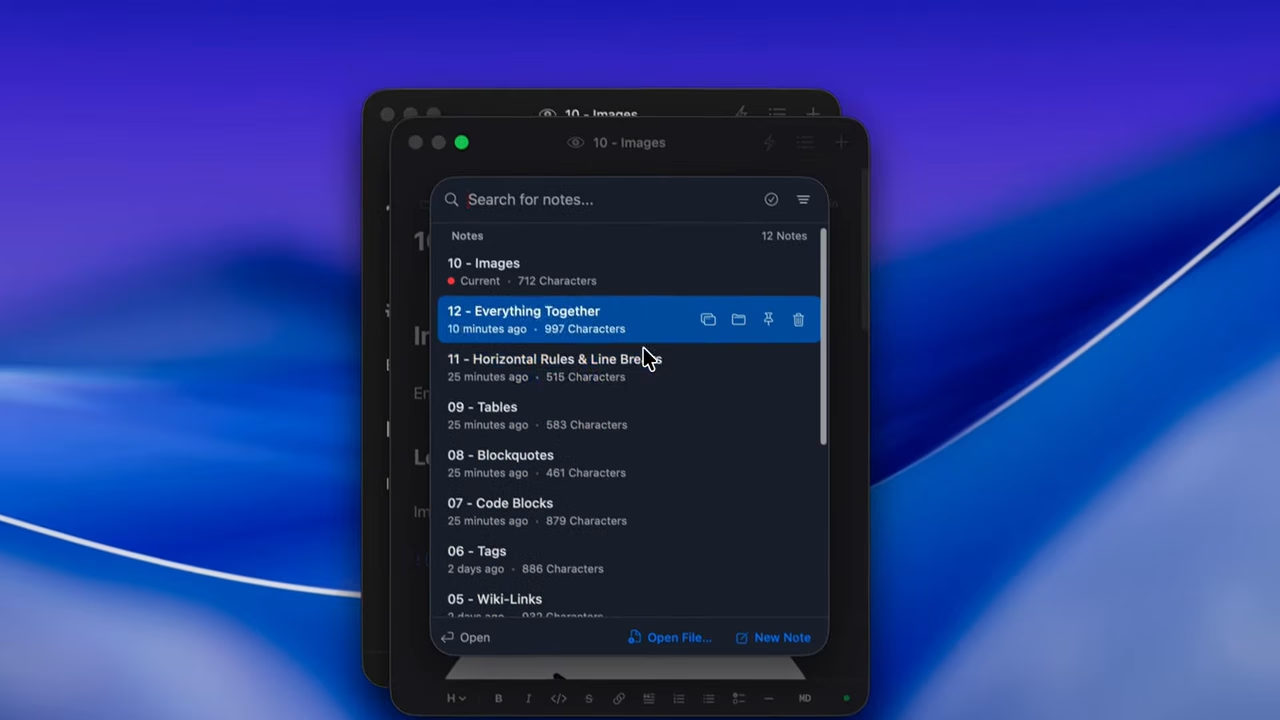
Floating Markdown notes for Mac. Pay once, own your files Flotnote is a floating Markdown notepad for macOS 13 or later.
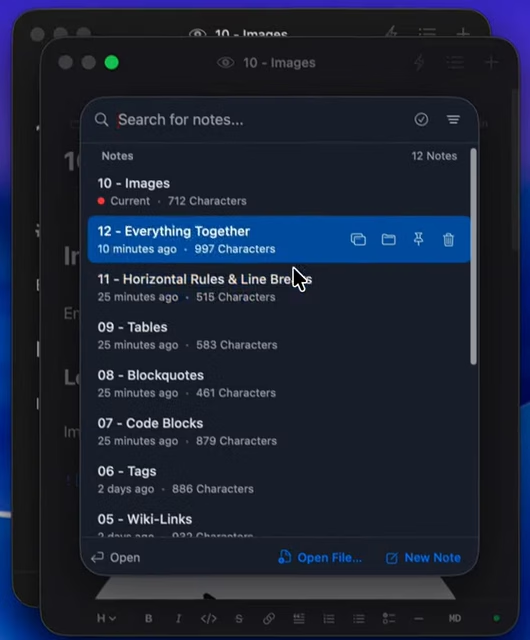
I would shortlist Flotnote for someone who already likes Markdown but finds that opening their notes app interrupts the thought they meant to save. A floating capture window and plain files are a useful pair: the window removes a step, while the files leave your future options open.
The Obsidian connection is file-based, not a second sync system or a plugin you must maintain. That is the part I value most. Links, tags and backlinks give it more depth than a disposable scratchpad without turning it into a team workspace.
There are limits worth taking seriously. It is Mac-only, backup depends on your setup, and lifetime licensing does not promise every future update. The privacy policy also makes a clear exception for Polar license verification. I would use the seven-day trial to check shortcut behavior and how well it fits the vault you already use.
Editorial assessment by Ashley Richmond, based on official product, support, privacy and terms pages and the vendor's demonstration video. This is desk research, not a hands-on installation or independent performance test.
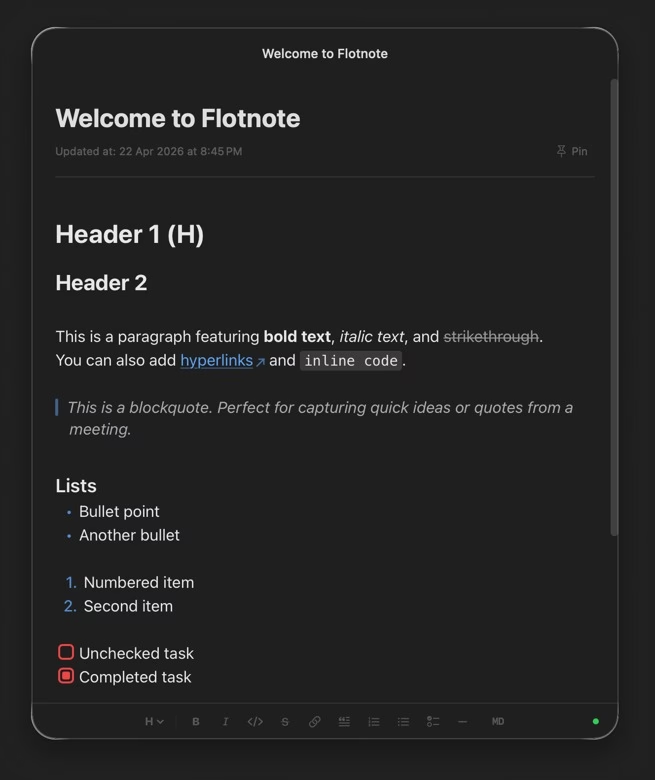
Flotnote is a floating Markdown notepad for macOS 13 or later. A global shortcut brings a note above the app you are using, so you can capture a thought without switching to a full notes workspace. It is made by Achan, a solo developer working as Tiny Ship Sailors.
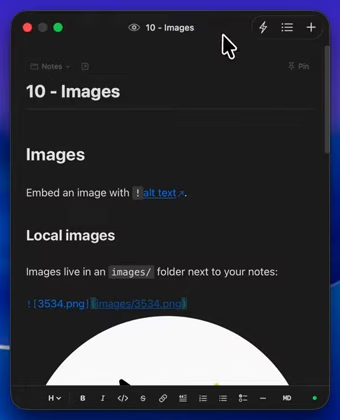
Notes are plain .md files in a folder you choose. Point Flotnote at an Obsidian vault or an inbox folder inside it and both apps use the same files. Wiki-style links, tags, headings and checklists stay in Markdown. New notes include a small YAML frontmatter block. Sync is handled by your chosen folder service, such as iCloud, Dropbox, Obsidian Sync or Git, rather than a Flotnote cloud.
The editor offers syntax highlighting, checklists, code blocks and find-and-replace. Full-text fuzzy search, note links and backlinks, tags, a searchable action panel and multiple floating windows help you find and organize notes. Notes can
Flotnote is a floating Markdown notepad for macOS 13 or later. A global shortcut brings a note above the app you are using, so you can capture a thought without switching to a full notes workspace. It is made by Achan, a solo developer working as Tiny Ship Sailors.
Notes are plain .md files in a folder you choose. Point Flotnote at an Obsidian vault or an inbox folder inside it and both apps use the same files. Wiki-style links, tags, headings and checklists stay in Markdown. New notes include a small YAML frontmatter block. Sync is handled by your chosen folder service, such as iCloud, Dropbox, Obsidian Sync or Git, rather than a Flotnote cloud.
The editor offers syntax highlighting, checklists, code blocks and find-and-replace. Full-text fuzzy search, note links and backlinks, tags, a searchable action panel and multiple floating windows help you find and organize notes. Notes can be copied or exported as Markdown, HTML or plain text.
Flotnote has a seven-day full-app trial without a card or account. The current launch price is $4.99 once, regularly $9.99, with LAUNCH50 applied automatically until October 31, 2026. One license covers two activations. The license does not expire; future updates are at the developer’s discretion, not a guaranteed update schedule. Refunds are available within fourteen days of purchase.
The vendor says the app does not collect note content or embed analytics. License activation is an exception to the no-server headline: it sends the license key and machine identifier to Polar for verification. Global shortcuts require macOS Accessibility permission. Files remain yours even if you stop using the app, but backup and sync are your responsibility.
Desk research of Flotnote's official product, pricing, download, support, Obsidian, privacy and terms pages on October 1, 2026. Genuine UI views were taken from the official website and its embedded vendor demo video. No hands-on installation or independent performance test.
| Pricing | One-time |
|---|---|
| Free plan | No |
| Free trial | Yes (7 days) |
| Pricing page | View pricing |
| Platforms | macOS |
| API | No |
| Company | Tiny Ship Sailors |
| Apps Insight Score | 44/100 |
Editorial points are assigned by AppsInsight editors and cannot be purchased or influenced.
| Feature | Flotnote | TickTick | Otter.ai | LUCI Desktop |
|---|---|---|---|---|
| Rating | 3.8 / 5 | 5.0 / 5 | 5.0 / 5 | 4.2 / 5 |
| Pricing | One-time | Paid Subscription | Paid Subscription | Free plan |
| Starting price | — | 35.99 | 16.99 | Free |
| Free plan | No | Included | Included | Included |
| Free trial | Yes (7 days) | No | Yes (7 days) | No |
| Platforms | macOS | Web app, iOS (iPhone & iPad), Android, macOS, Windows | Web app, Browser extension, iOS (iPhone & iPad), Android, macOS, Windows | macOS, Windows |
| Best for | Mac users capturing quick thoughts, Obsidian users wanting a floating inbox, people who prefer local Markdown files, solo writers seeking a one-time license | Students, solo professionals, SMB teams, cross-platform users, people managing personal and work tasks in one app | Sales teams, customer support teams, recruiters, educators, SMB marketing teams, enterprise operations teams | Founders, investors and sales leaders who live in meetings and want AI agents briefed from real context, privacy-conscious users who refuse cloud AI note-takers, and developers who want Claude Code or Cursor to remember their workday. |
Flotnote vs TickTick Flotnote vs Otter.ai Flotnote vs LUCI Desktop
Flotnote lists a $4.99 launch price, regularly $9.99. LAUNCH50 is applied automatically at checkout through October 31, 2026. Personal license includes two activations; future updates are discretionary.
Cross-platform task, note-taking, and planning app with calendar views and habit tracking.


AI meeting notes with searchable transcripts and workflow handoff

Local computer memory for every AI agent - it remembers your whole day, fully on your…

Your meetings are the prompt - record once, remember forever, and let Claude Code use it.


Always-on listening app that turns real conversations into a private, searchable memory your AI agents can…
Always-on listening app that turns real conversations into a private, searchable memory your AI agents can…
Your meetings are the prompt - record once, remember forever, and let Claude Code use it.
Local computer memory for every AI agent - it remembers your whole day, fully on your…
AI meeting notes with searchable transcripts and workflow handoff
No reviews yet. Be the first to review this app.
Already have an account? Log in to track your reviews.