
Best AI Notetaker

Grain

AI notetaker for teams that turns meetings into usable context
Free plan
- Web app
- Browser extension
- iOS (iPhone & iPad)
- Android

Local computer memory for every AI agent - it remembers your whole day, fully on your device
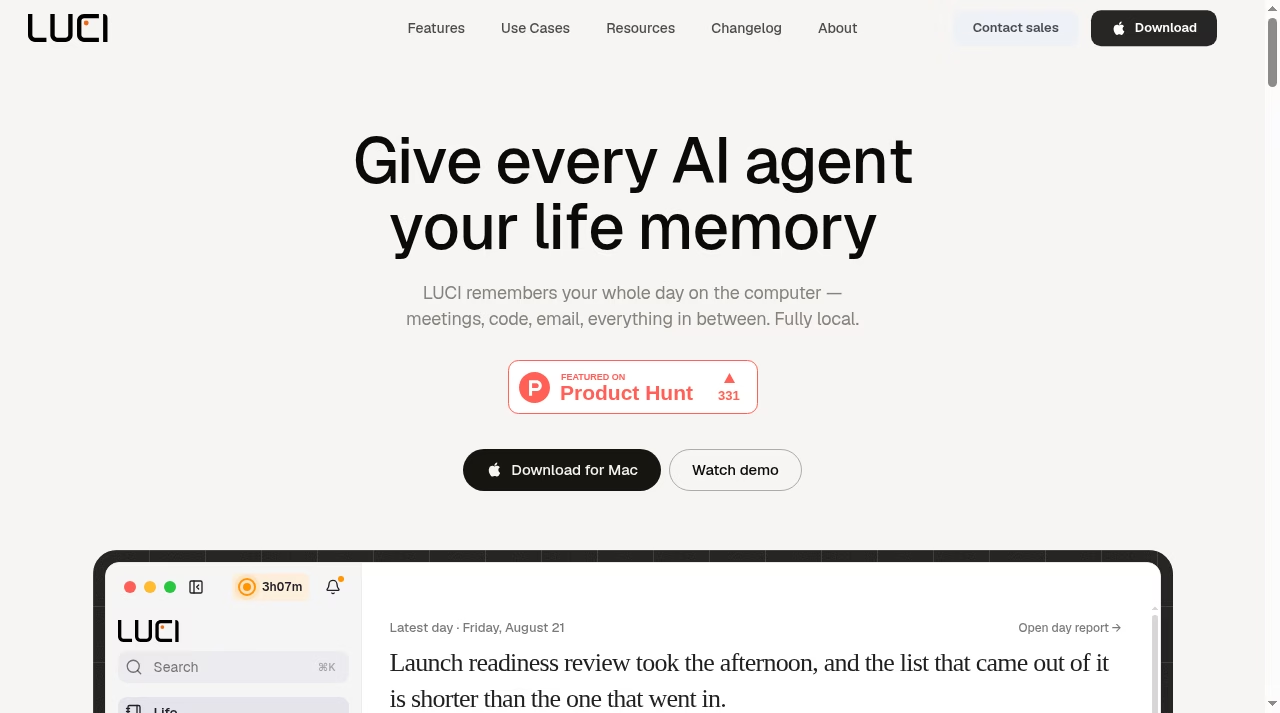
Local computer memory for every AI agent - it remembers your whole day, fully on your device LUCI’s premise is that AI agents are brilliant in the session and blind to everything around it – so you become the courier pasting context back in.
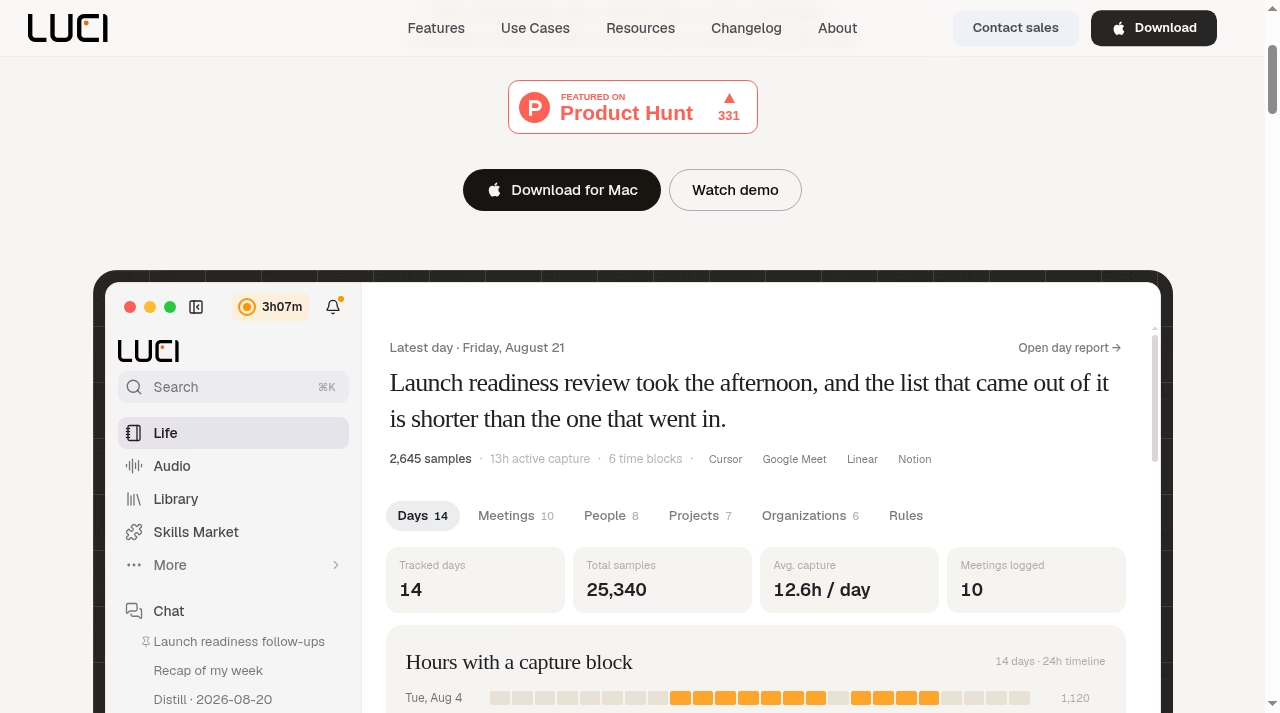
LUCI gives AI agents the context they always lack: a persistent, searchable, 100% local memory of your screen and meetings that Claude Code, Cursor and Codex can query through official skills - and it is genuinely free, with no subscription, no bot in your calls and nothing uploaded.
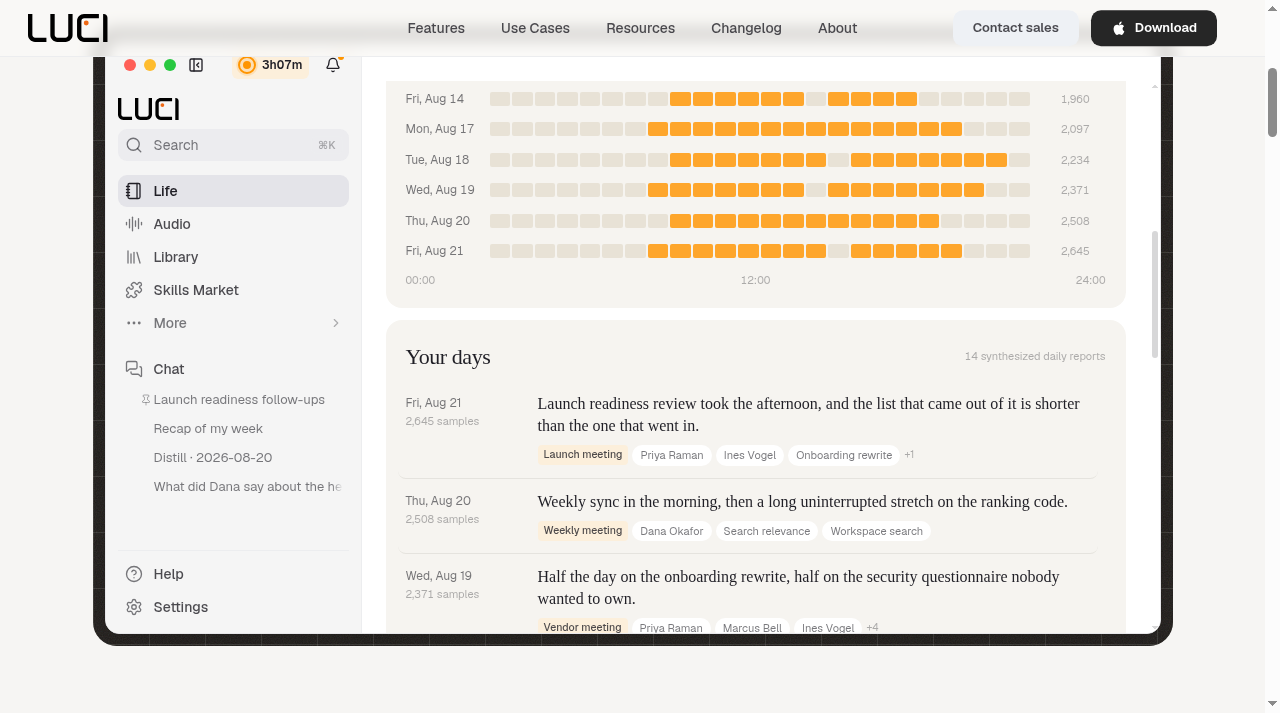
LUCI’s premise is that AI agents are brilliant in the session and blind to everything around it – so you become the courier pasting context back in. LUCI Desktop, from Memories AI, fixes that with a persistent memory of your whole computer day: meetings, code, email and everything between, captured locally on Mac or Windows, searchable in plain English, and readable by the agents you already use. Claude Code, Codex, Cursor and GitHub Copilot query it through official skills from LUCI’s skills market. The product demo is convincing: synthesized daily reports (‘Launch readiness review took the afternoon…’), tracked days, capture timelines, people and project detection across apps like Cursor, Google Meet, Linear and Notion.
The feature set covers AI meeting notes for Zoom, Google Meet and Teams with no bot joining the call, an AI screen recorder that remembers everything, a chat interface, meeting video recording, real-time coaching with action
LUCI’s premise is that AI agents are brilliant in the session and blind to everything around it – so you become the courier pasting context back in. LUCI Desktop, from Memories AI, fixes that with a persistent memory of your whole computer day: meetings, code, email and everything between, captured locally on Mac or Windows, searchable in plain English, and readable by the agents you already use. Claude Code, Codex, Cursor and GitHub Copilot query it through official skills from LUCI’s skills market. The product demo is convincing: synthesized daily reports (‘Launch readiness review took the afternoon…’), tracked days, capture timelines, people and project detection across apps like Cursor, Google Meet, Linear and Notion.
The feature set covers AI meeting notes for Zoom, Google Meet and Teams with no bot joining the call, an AI screen recorder that remembers everything, a chat interface, meeting video recording, real-time coaching with action items, voice-triggered tasks, and context-aware meeting reminders. Everything is captured and stored on-device and encrypted at rest, per the vendor – the privacy contrast with cloud note-takers is the whole pitch.
Pricing is the simplest in the category: one plan, free forever. No trial, no subscription, no credit card – the vendor says it is free because the work runs on your machine, and backs the claim with a comparison table against Granola, Rewind and Otter (their figures, from public docs). It launched on Product Hunt with 331 upvotes.
My verdict: LUCI is the most interesting take on agent context this year – local-first memory as infrastructure for every agent you use, at a price (zero) that undercuts every rival. The trade-offs are the local model itself: no shared team workspace, no cross-device cloud sync, desktop-only, and you carry the storage and capture permissions on your own machine. The vendor is established (Memories AI) but company details on the LUCI site are thin. For individuals who want agents that actually know their day, this is an easy recommendation to try.
Desk research only. This listing was compiled on September 30, 2026 from LUCI's official website: the homepage (product demo UI and capture statistics), the pricing page (single free plan and the vendor comparison table), the about page, the agent memory page and the AI meeting notes page, plus its public Product Hunt listing (331 upvotes shown on the site badge). No hands-on product testing was conducted - the app is a Mac/Windows desktop install that was not run by the reviewer. The free-forever pricing, 100%-local processing, encryption-at-rest and vendor comparison figures are the vendor's own claims and were not independently verified.
LUCI maintains a public changelog at luci.memories.ai/changelog (marked NEW in the site nav). Current site state: free forever on Mac and Windows, agent memory via official skills for Claude Code, Codex, Cursor and GitHub Copilot, a skills market, and comparison pages against Granola, Rewind and Otter. (Source: luci.memories.ai)
| Pricing | Free plan |
|---|---|
| Free plan | Yes |
| Free trial | No |
| Pricing page | View pricing |
| Platforms | macOS, Windows |
| API | No |
| Company | Memories AI |
| Apps Insight Score | 39/100 |
| Implementation | Easy |
| Learning curve | Beginner |
Editorial points are assigned by AppsInsight editors and cannot be purchased or influenced.
| Feature | LUCI Desktop | Grain | OpenClaw | Decagon |
|---|---|---|---|---|
| Rating | 4.2 / 5 | 5.0 / 5 | 5.0 / 5 | 5.0 / 5 |
| Pricing | Free plan | Free plan | — | — |
| Starting price | Free | Free | — | — |
| Free plan | Included | Included | No | No |
| Free trial | No | No | No | No |
| Platforms | macOS, Windows | Web app, Browser extension, iOS (iPhone & iPad), Android, macOS, Windows, Linux | macOS, Windows, Linux | Web app |
| Best for | Founders, investors and sales leaders who live in meetings and want AI agents briefed from real context, privacy-conscious users who refuse cloud AI note-takers, and developers who want Claude Code or Cursor to remember their workday. | Sales teams, customer success teams, founders, agencies, ops teams, AI-first teams | Developers, solo founders, technical operators, AI enthusiasts, marketing agencies, SMB teams, support teams, internal ops teams | Enterprise SaaS teams, CX operations leaders, customer support automation teams, product-led companies, ops-heavy support organizations |
LUCI Desktop vs Grain LUCI Desktop vs OpenClaw LUCI Desktop vs Decagon
0 /mo

AI notetaker for teams that turns meetings into usable context




AI dictation that cleans up speech in any app

Tag a bot in Slack and the GTM busywork happens in the thread: 700+ data endpoints…


One AI-powered workspace where creative teams keep projects, conversations, reviews and work connected

One AI teammate runs your social media, influencer campaigns and PR in any language and market
No reviews yet. Be the first to review this app.
Already have an account? Log in to track your reviews.