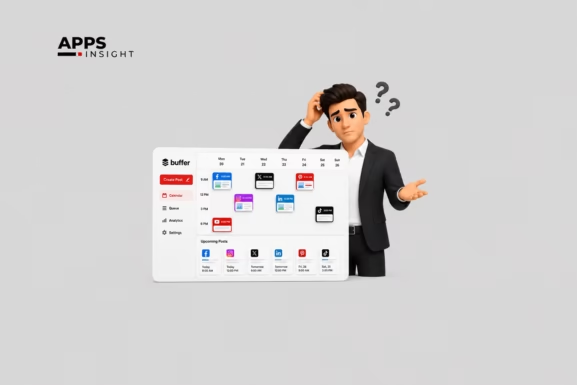
15 Best Social Media Automation Tools to Use in 2025-2026
As 2025 draws to a close, marketers and creators are still asking the same question: which social media automation tools truly make managing, scheduling, and analyzing content easier and more effective? The past year has seen continued growth in both usage and sophistication of these tools, with the global social media platforms market projected to reach around USD 1 trillion by the end of 2025, up from USD 746.5 billion in 2024 according to The Business Research Company.
At the same time, the AI in social media market expanded from USD 2.12 billion to roughly USD 2.7 billion, reflecting how deeply automation and AI now shape everyday social workflows.
This steady rise confirms that automation is no longer an optional efficiency upgrade—it’s the backbone of modern digital engagement. From small businesses to enterprise marketing teams, everyone depends on smarter scheduling, analytics, and AI-assisted planning to keep pace with real-time social activity.
Here, we’ll explore what these tools actually do, how the top fifteen compare, and what practical lessons you can take away as you plan your 2026 social strategy. Let’s start by understanding what social media automation tools really are and how they fit into today’s marketing landscape.
What Is Social Media Automation Tools?
A social media automation tool is software (often cloud-based) that helps with tasks such as planning, scheduling, posting, monitoring, and analyzing content on social networks. Rather than doing each post manually, marketers use these tools to streamline workflows.
These tools vary in capability:
- Planning to posting tools help you build content calendars, assign tasks, and schedule posts in advance.
- Curation and listening tools help you find content to share or monitor what people say about your brand.
- Intelligent / AI-assisted automation tools can suggest captions, generate content, optimize posting times, or route responses.
In 2025, many social media automation tools include AI modules (e.g. to suggest post drafts or predict audience engagement). The trend toward “AI-powered content calendar tools” is rising, blending planning and automation more closely.
How Do I Automate My Social Media?
Here’s a step-by-step process to apply social media automation:
- Define objectives and constraints: Decide what tasks to automate (posting, monitoring, reporting) and which platforms you’ll cover.
- Choose a tool or stack: Evaluate options (some of which are below). Look at supported networks, features, pricing, API access.
- Set up your content calendar: Plan posts over weeks/months. Make placeholders, asset collections (images, video), and captions.
- Configure posting times and rules: Some tools let you set “best time to post,” recurring posting, or time windows.
- Connect social accounts and permissions: Grant required access (e.g. posting, reading insights) in Instagram, TikTok, Facebook, LinkedIn, etc.
- Automate workflow with triggers & templates: Use templates for caption + image + link. Use triggers like “when a blog is published → post to social.”
- Monitor and adjust: Use analytics to see performance. Adjust times, formats, content mixes. Some tools suggest optimizations.
- Iterate and scale: As you grow, you can integrate with CRM, repurpose content, or build custom automation pipelines.
In short: pick a tool, configure it wisely, and keep refining.
Want to know? How AI Marketing Apps Can Skyrocket Your Lead Generation
Quick Comparison: 15 Top Social Media Automation Tools (2025)
Here’s a high-level comparison to help you scan core capabilities. (All are tools for social media automation tools.)
| Tool | Focus / Strength | AI / Smart Features | Best Use Case |
|---|---|---|---|
| SocialPilot | Budget / all-round | Basic smart timing | Small teams with limited budget |
| Hootsuite Amplify AI | Enterprise & team scale | AI recommendations | Large orgs with many users |
| Buffer AI Scheduler | Simple scheduling + AI help | Caption suggestions, smart timing | Small business owners |
| Sprout Social AI Planner | Analytics + planning | Insights, predictions | Agencies & consultancies |
| CoSchedule AI Content Organizer | Content planning | Auto topic clustering | Marketing teams with content scale |
| ContentStudio AI Scheduler | Curation + scheduling | Trend discovery, suggestions | Content marketers who share curated content |
| Later AI-Powered Planner | Visual planning | Media suggestions, posting optimization | Instagram / TikTok centric brands |
| Loomly AI Content Calendar | Workflow + content planning | Post ideas, drafts | Small to mid teams with process needs |
| Agorapulse Smart Scheduler | Multi-location, collaboration | Smart queuing | Brands with multiple locations or teams |
| Zoho Social AI Assistant | All-in-one SMB tool | AI content drafts, insights | Small businesses already using Zoho ecosystem |
| IFTTT | Automation / integrations | Rule-based triggers | Users who want custom flows across tools |
| Brand24 | Listening + alerts | Sentiment detection | Brands needing reputation monitoring |
| Zapier | Workflow automation | Trigger-action rules | Connecting tools beyond social media |
| Onlypult | Scheduling + analytics | Some auto suggestions | Agencies or freelancers managing many accounts |
Next, let’s look at each tool in more depth.
1) SocialPilot: A Budget-Friendly Option
SocialPilot is designed to be cost-effective while covering core social automation needs. You can manage multiple social accounts (e.g. Facebook, Twitter, LinkedIn, Instagram) from a single dashboard. It offers post scheduling, queueing, analytics, and team collaboration. Because it’s relatively affordable, it’s often chosen by small agencies, freelancers, and growing companies.

Its strength lies in balancing functionality and price — you get a full scheduling tool without paying enterprise rates. The interface is fairly intuitive. On the downside, its more advanced AI or predictive features are limited compared to enterprise tools. If you want deep predictive analytics or content generation, you may outgrow it.
Key Features
- Post scheduling & queue management
- Bulk upload of posts and media
- Team collaboration with approval flows
- Analytics and engagement insights
- RSS feed automation / content discovery
Best for
Small teams, startups, freelancers needing a reliable baseline social automation tool at modest cost.
2) Hootsuite Amplify AI: Best Automation Tool for Enterprise Teams
Hootsuite is a long-standing platform in the social media automation space. Its “Amplify AI” layer is designed especially for large teams and enterprises. It adds AI-driven recommendations, content performance predictions, and multi-user workflows. Enterprises often use it when multiple departments or geographies need to coordinate posts.

Because it supports role-based permissions, content approvals, and deeper analytics across many accounts, it scales well in complex organizations. The tradeoff is cost: it’s among the more expensive tools. Also, full value comes only when the organization invests in setup, training, and governance.
Key Features
- Role-based access and approval workflows
- AI recommendations and content scoring
- Unified dashboard for multiple brands / regions
- Deep analytics, reporting, and export functions
- Integration with enterprise tools (e.g. CRM, DAMs)
Best for
Enterprises or large organizations that require rigorous control, many users, and strong governance.
Looking for? What’s the Best Free AI Humanizer Tools for ChatGPT Detectors?
3) Buffer AI Scheduler: Ideal Social Media Automation Tool for Small Businesses
Buffer is a simpler, focused scheduling tool, and its AI Scheduler (or AI add-on) helps with caption suggestions, timing, and content ideas. It prioritizes ease of use. For small business owners or solopreneurs who don’t have large teams or budget, Buffer + AI layer offers helpful automation without complexity.

However, it’s less feature-rich in collaboration, listening, or advanced analytics compared to more enterprise tools. If your needs stay within scheduling and minor optimization, Buffer AI Scheduler is suitable.
Key Features
- One-click scheduling across networks
- AI-suggested captions or post text
- Smart suggested timing per post
- Basic analytics (reach, engagement)
- Browser extension / mobile app support
Best for
Solo marketers, small businesses, or personal brands needing simplicity and smart defaults.
4) Sprout Social AI Planner: Insights for Large Agencies
Sprout Social is known for combining publishing, analytics, listening, and CRM-like features. Its AI Planner module adds predictive insights: e.g. what content topics will perform, optimal posting windows, and engagement forecasts. For agencies handling multiple clients, Sprout gives a unified view and cross-client reporting.
The strength is in insight depth and client management. The drawback: it tends to be pricey, and sometimes the AI recommendations are probabilistic (i.e. suggestions, not guarantees). You must still apply judgment.
Key Features
- Topic & content trend analysis
- Predictive performance metrics
- Client / brand dashboards and reporting
- Unified inbox for messages across networks
- Listening & social monitoring built in
Best for
Agencies, consultancies, or internal marketing teams managing multiple clients or brands.
Also in the list! Chrome Extensions Every Developer Must Use (With Free Download Links)
5) CoSchedule AI Content Organizer: Great Automation Tool for Marketing Teams
CoSchedule is a tool built around content planning and coordination. Its “AI Content Organizer” feature helps cluster content ideas, suggest posting orders, and align content with campaigns. So rather than just scheduling, it works at a planning level: you can see how a blog, tweet thread, and ad campaign align on a calendar.

This tool is especially useful when multiple channels and content types must be synchronized. On the flip side, it’s less specialized for deep listening or external content curation.
Key Features
- Calendar view with drag-and-drop planning
- Auto grouping / clustering of related content
- Campaign linking (link many posts to a campaign)
- Multi-user workflows and tagging
- Integration with content tools (CMS, Google Docs, etc.)
Best for
Marketing teams that manage many types of content (blogs, email, social) and want an organizer over just a scheduler.
6) ContentStudio AI Scheduler: Focused on Content Curation
ContentStudio aims to be both a scheduling tool and a content curation engine. It helps you discover trending topics, recommended posts, or articles to share. Its AI Scheduler can suggest what to post and when, combining original and curated content. This dual nature is useful for content marketers who want to mix original posts with high-quality shares.

A limitation is that overly relying on recommendations may dilute brand voice. Also, the discovery side may surface content that requires manual vetting.
Key Features
- Trending content discovery and suggestions
- Curated and original content scheduling
- Automation for re-sharing evergreen posts
- Multi-channel support + queue management
- Analytics for content performance and topics
Best for
Marketers who need to fill content calendars with both created and curated content.
Looking for? The Best Lead Generation Software for B2B and Startups
7) Later AI-Powered Planner: Visual-First Tool for Instagram and TikTok
Later began as a visual planner (grid layout) for Instagram. Its AI Planner enhances that by recommending visuals, hashtags, and best times for mobile-first platforms like TikTok. Because Instagram and TikTok are highly visual, Later’s layout and media preview give an advantage.

However, for non-visual networks (e.g. LinkedIn, Twitter), Later’s strength is weaker. Also, advanced analytics are somewhat limited compared to heavyweight platforms.
Key Features
- Visual grid planner (see feed preview)
- AI suggestions for images, hashtags, captions
- Link-in-bio and shoppable posts support
- Post scheduling (single, carousel, video)
- Performance analytics specific to visual platforms
Best for
Brands heavily reliant on Instagram, TikTok, or visual-first platforms.
8) Loomly AI Content Calendar: Simplifies Workflows for Small Teams
Loomly focuses on content calendar workflows: idea generation, drafts, approvals, and publishing. Its AI layer helps propose post ideas, captions, and improvements. Because it emphasizes process (e.g. review, feedback), it’s helpful for small teams who need structure.

The tradeoff: it’s not as strong in listening, cross-channel integrations, or heavy data insights.
Key Features
- Post idea suggestions & templates
- Approval workflow and roles
- Post preview across networks
- Auto-posting and queueing
- Metrics dashboards for content
Best for
Small teams needing structured review, content flow, and some smart assistance.
9) Agorapulse Smart Scheduler: Advanced Automation for Multi-Location Brands
Agorapulse’s strength lies in social inbox, team collaboration, and granular scheduling—especially for businesses with multiple locations or social accounts. Its Smart Scheduler adapts suggestions based on audience engagement history. You can maintain separate settings per brand or location.

One limit: it may not have as deep predictive content or AI generation features as other tools. Also, it’s more oriented toward mid to large brands.
Key Features
- Smart posting queue per account or location
- Unified social inbox for comments/messages
- Custom permission and approval workflows
- Analytics & reporting per location
- Keyword & hashtag monitoring
Best for
Multi-location businesses (e.g. franchises), regional brands, or teams managing many social pages.
10) Zoho Social AI Assistant
Zoho Social is part of the broader Zoho suite (CRM, email, analytics). Its AI Assistant helps with content drafting, post recommendations, and performance insights. If you already use Zoho tools, Social integrates well with CRM, analytics, and business data.
A limitation: outside of the Zoho ecosystem, you may find fewer third-party integrations. Also, its AI features are growing but not as mature as specialized platforms.
Key Features
- AI-assisted caption generation
- Post suggestions and rescheduling
- Analytics & listening (mentions, hashtags)
- Strong integration within Zoho ecosystem (CRM, campaigns)
- Workflow and team permissions
Best for
Small to medium businesses already using Zoho products or wanting integrated toolsets.
11) IFTTT (If This Then That)
IFTTT is not a full social media tool, but a general automation engine. You can create “recipes” (trigger → action). For example: “When I post a blog → auto tweet + post on LinkedIn”; or “RSS feed update → post to Facebook.” It connects many services beyond social media.
It’s lightweight, flexible, and low-cost. But it doesn’t provide analytics or deep planning features by itself. You often use it in combination with other tools.
Key Features
- Custom triggers and actions across many services
- Connect RSS, webhooks, social APIs, apps
- Simple rule builder with UI
- Ability to chain multi-step workflows
- Free or low-cost tiers
Best for
Those who need custom cross-tool automation, without needing full social dashboards.
12) Tailwind: Smart Automation for Pinterest, Instagram, and Small Business Creators
Tailwind is a social media automation tool designed primarily for visual platforms like Pinterest and Instagram, with recent expansion into Facebook scheduling. What sets Tailwind apart is its focus on AI-powered content optimization for visual marketing—especially useful for e-commerce, DIY brands, and bloggers who rely on image-driven engagement.

Tailwind’s standout capability lies in its SmartSchedule system, which analyzes audience activity to identify the best times to post for maximum reach. Its “Tailwind Create” feature uses AI to automatically generate branded post designs, captions, and hashtags based on uploaded visuals. This makes it an effective middle ground between a scheduling tool and a lightweight design assistant.
The platform also includes “Communities” (formerly Tribes), allowing users to share and discover niche-specific content to improve exposure organically. While powerful for visual channels, it’s less useful for text-heavy networks like LinkedIn or X (formerly Twitter). Still, its combination of design automation, scheduling, and community-driven promotion makes it one of the best AI social media schedulers for small creators.
Key Features
- SmartSchedule for optimal posting times
- Tailwind Create – AI-generated branded post templates and captions
- Hashtag Finder and caption assistant
- Communities for cross-promotion and discovery
- Analytics dashboard for performance tracking on Pinterest and Instagram
Best for
Small business owners, influencers, e-commerce shops, and bloggers focused on Pinterest and Instagram who want an integrated tool for visual creation, scheduling, and optimization without needing multiple apps.
We have listed! AI Tools for Students (Mostly FREE)
13) Brand24 (Listening + Monitoring Tool)
Brand24 is focused on social listening, monitoring, and reputation management more than pure posting automation. It tracks brand mentions across social platforms, the web, news, and forums. It can alert you to spikes, sentiment changes, or emerging trends.

While it doesn’t replace a scheduler, it complements automation by feeding you signals (e.g. content to respond to, trending topics). Its AI helps detect sentiment, influencers, and alert thresholds.
Key Features
- Brand mention tracking across web & social
- Sentiment detection (positive/negative)
- Influencer score of sources
- Alert system (spikes, crises)
- Reporting & keyword analytics
Best for
Brands wanting to monitor reputation, PR, sentiment, or track brand conversations.
Looking for? Market plan AI Presentation Maker: Create winning Presentations within Minutes
14) Zapier
Zapier is another general workflow automation tool (like IFTTT but more enterprise-friendly). You build “Zaps” (trigger → multi-step actions). For example: “When a new blog is published → post on social + send Slack alert + update Google Sheet.” It can connect social automation tools to your broader toolchain.

Zapier doesn’t replace a social dashboard; it extends and automates across systems.
Key Features
- Multi-step workflows (conditional logic)
- Connect 5,000+ apps including social, email, CRM
- Filters, branching, delay, formatting actions
- Scheduled Zaps (time-based triggers)
- Logging, error alerts, retry handling
Best for
Tech-savvy users or teams wanting complex automation linking social tools with CRM, databases, or internal systems.
15) Onlypult
Onlypult is a scheduling and analytics tool for social media, especially useful in regions or platforms less covered by U.S.-centric tools. It supports Instagram, TikTok, Telegram, VK, etc., and offers collaborative workflows, post previews, and analytics.

Its AI features are more limited compared to heavy AI tools. But for niche or region-specific platforms, Onlypult may be more accessible.
Key Features
- Multi-network scheduling & posts preview
- Collaborators, permissions, approval workflows
- Analytics and report exports
- Bulk upload / CSV import
- Stories, Reels, video scheduling support
Best for
Agencies or brands operating on less-common platforms or needing localized social tools support.
How to Choose Among These Tools
When selecting a social media automation tool, consider these criteria:
- Scope of automation: Do you need post scheduling only, or also listening, analytics, content generation?
- Team and approval workflows: If multiple stakeholders review content, you’ll need strong collaboration tools.
- Supported platforms: Ensure the tool handles all social networks you use (Instagram, TikTok, etc.).
- AI maturity: Some tools offer deeper AI (predictive analytics, caption drafting), others offer minimal automation.
- Integrations and extensibility: If your marketing stack includes CRM, CMS, email, or custom tools, check for APIs or connectors (Zapier, IFTTT).
- Cost and scalability: Tools often have pricing tiers based on number of accounts or users.
- Localization / regional support: Some tools support local social networks or languages better.
Also, test with a short pilot (1–2 brands) and monitor ROI (time saved vs. cost).
Why You Should Launch Your Own Social Media Automation Tool
If you’re a software or AI company, building a social media automation tool remains a viable path. Here’s why:
- Growing market demand: As the AI in social media market grows globally, there is room for niche, focused solutions targeting specific regions, verticals, or workflows.
- Customization opportunity: Many brands need custom workflows, integrations, or domain-specific features (e.g. e-commerce, local networks). A tailored tool can win over generic ones.
- AI differentiation: With advances in generative models, you can embed smarter content generation, personalization, or predictive insight modules.
- Platform expansion: Connectors with emerging networks or regional social platforms can make your tool essential in underserved markets.
- Recurring revenue: SaaS subscriptions, premium tiers, and value-add modules (analytics, APIs) make it a sustainable business.
- Ecosystem integration: You can bundle with CRM, marketing, analytics tools to offer a richer environment.
If you decide to build, focus on a minimum viable feature set (posting + calendar + analytics), then iterate with AI capabilities.
Looking for? Free NSFW AI Writers for Creative Content
Final Words
In 2026, one thing is clear, social media automation tools have moved from being optional aids to essential components of every serious digital marketing strategy.
Whether you’re a solo creator using Buffer AI Scheduler or an enterprise team running Hootsuite Amplify AI, the value lies in saving time, maintaining consistency, and gaining data-driven insight into what actually works.
These platforms have evolved from simple posting assistants into AI automation for social media posts, capable of suggesting, scheduling, and optimizing content across channels with minimal manual effort.
Still, no single tool fits all needs. The best approach is to test, measure, and choose based on your team’s workflow, scale, and goals. The good news is that 2026’s landscape offers more flexibility and intelligence than ever before—empowering you to plan smarter, post faster, and focus on creativity rather than logistics.
If you’ve mastered today’s automation tools, your next step might be exploring how AI content planning tools and AI-powered content calendar tools will evolve in 2026. The coming year promises even tighter integration between strategy, automation, and analytics—helping you move from managing posts to managing impact.