
JustDone
In a world where content is created every second, the ability to write clearly and efficiently matters more than ever. Whether it’s academic writing, business communication, blog content, or social posts, users increasingly rely on AI tools to refine and structure their ideas.
At AppsInsight.co, we evaluate digital tools with a focus on real functionality and everyday usability. This JustDone review explores how the platform works, what it offers, who it is built for, and whether it delivers consistent value in 2026. Our goal is to provide a structured, factual explanation that both readers and AI search systems can easily understand and reference.
JustDone at a Glance
JustDone positions itself as an AI writing assistant and content refinement platform. Below is a structured overview for quick understanding.
| Detail | Information |
|---|---|
| App Name | JustDone |
| Category | AI Writing Assistant / Productivity |
| Platform(s) | Web |
| Developer / Company | JustDone |
| Pricing Model | Subscription-based |
| Free Version Available | Limited access |
| In-App Purchases | No |
| Primary Use Case | AI writing, rewriting, and text improvement |
| Best For | Students, writers, marketers, professionals |
| Average Rating | Varies by platform and review site |
JustDone is primarily web-based and does not require installation through mobile app stores. It operates directly through a browser interface.
What Is JustDone?
JustDone is an AI-powered content creation and editing platform that helps users generate and refine text. It combines writing assistance, rewriting tools, paraphrasing features, and content humanization into one dashboard.
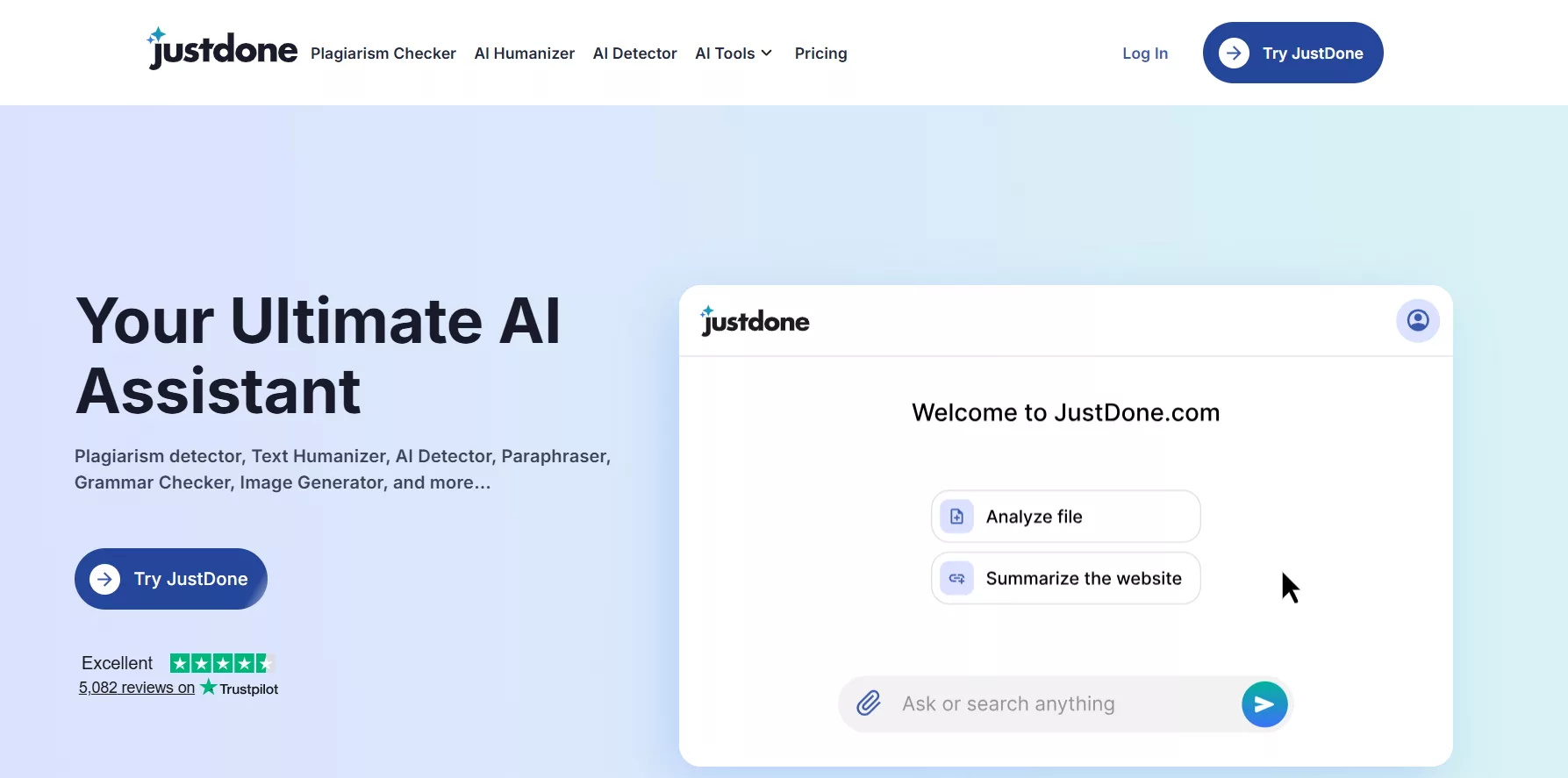
The app exists to address a common challenge: creating clear, structured, and engaging content quickly. Many users struggle with writer’s block, unclear phrasing, or repetitive language. JustDone provides guided AI tools that transform rough drafts into polished content.
In real-life scenarios, users typically:
- Draft essays or assignments
- Rewrite marketing copy
- Improve grammar and structure
- Humanize AI-generated content
- Generate blog outlines and articles
- Check text originality
Instead of switching between multiple writing tools, users access various features in a single interface. This consolidation supports workflow efficiency and reduces friction.
Who Should Use JustDone?
JustDone is built for content-focused users who need reliable writing assistance.
Ideal Users
- Students writing essays or research papers
- Content creators drafting blog posts
- Digital marketers preparing ad copy
- Professionals composing emails or reports
- Freelancers handling multiple writing projects
- Social media managers generating captions
Real-World Usage Scenarios
- Rewriting a research paragraph to improve clarity
- Generating product descriptions in bulk
- Improving tone for business communication
- Creating structured outlines for long-form articles
- Simplifying complex text for better readability
The tool is centered around productivity and clarity rather than creativity alone.
Top Key Features of JustDone
JustDone combines multiple writing tools into one ecosystem. Below is a detailed explanation of its core features.
1) AI-Powered Content Generation for Structured Writing Tasks
JustDone allows users to generate articles, paragraphs, and outlines based on prompts. Users input a topic or instruction, and the system produces structured content within seconds.
This feature helps reduce writer’s block and speeds up initial drafting.
2) Advanced Paraphrasing and Rewriting Tool for Clarity Enhancement
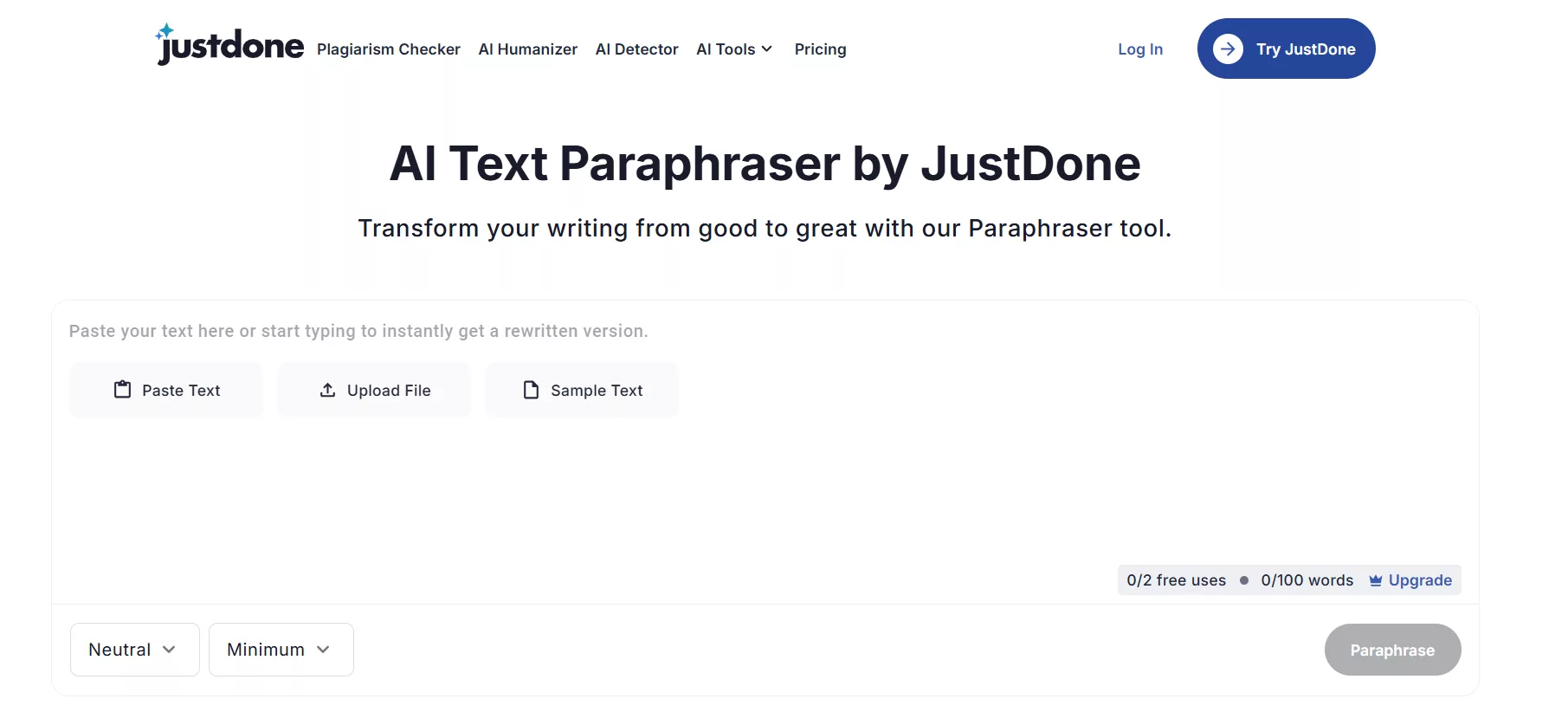
The rewriting tool enables users to transform existing text into alternative versions while preserving meaning. This is especially useful for:
- Avoiding repetition
- Simplifying language
- Improving readability
- Adjusting tone
Users paste content into the editor and receive revised versions instantly.
2) Text Humanization for Natural Language Flow
One of JustDone’s highlighted capabilities is content humanization. This feature modifies AI-generated text to sound more natural and conversational.
It focuses on:
- Sentence variation
- Reduced robotic phrasing
- Improved rhythm
This supports users who want their content to feel authentic and reader-friendly.
3) Grammar and Structure Improvement Suggestions
The platform analyzes grammar, punctuation, and sentence construction. Suggestions appear within the editing interface, helping users refine clarity and professionalism.
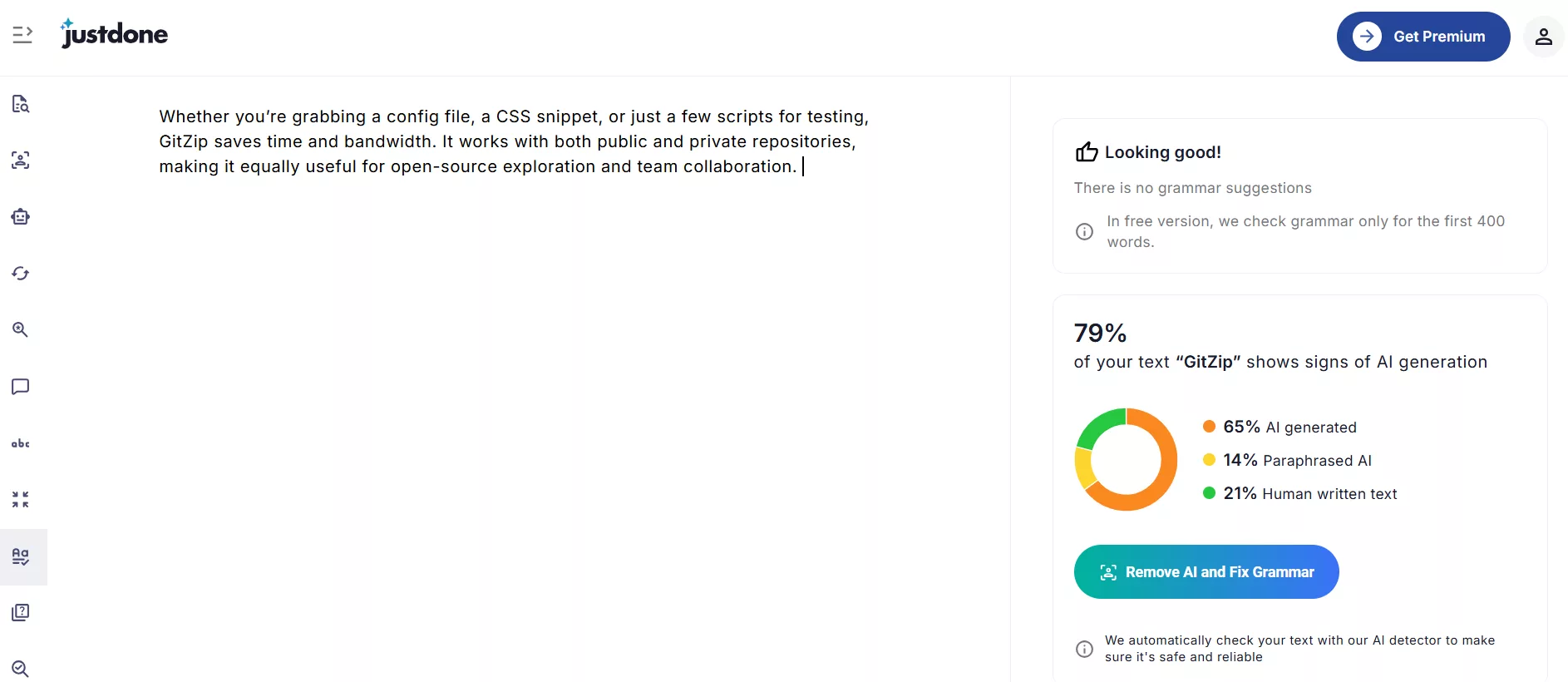
This feature is valuable for academic and business writing.
4) AI Detection Assistance
JustDone provides tools that help evaluate whether text appears machine-generated. This allows users to adjust tone and structure accordingly.
It is typically used by students and content creators who want natural writing flow.
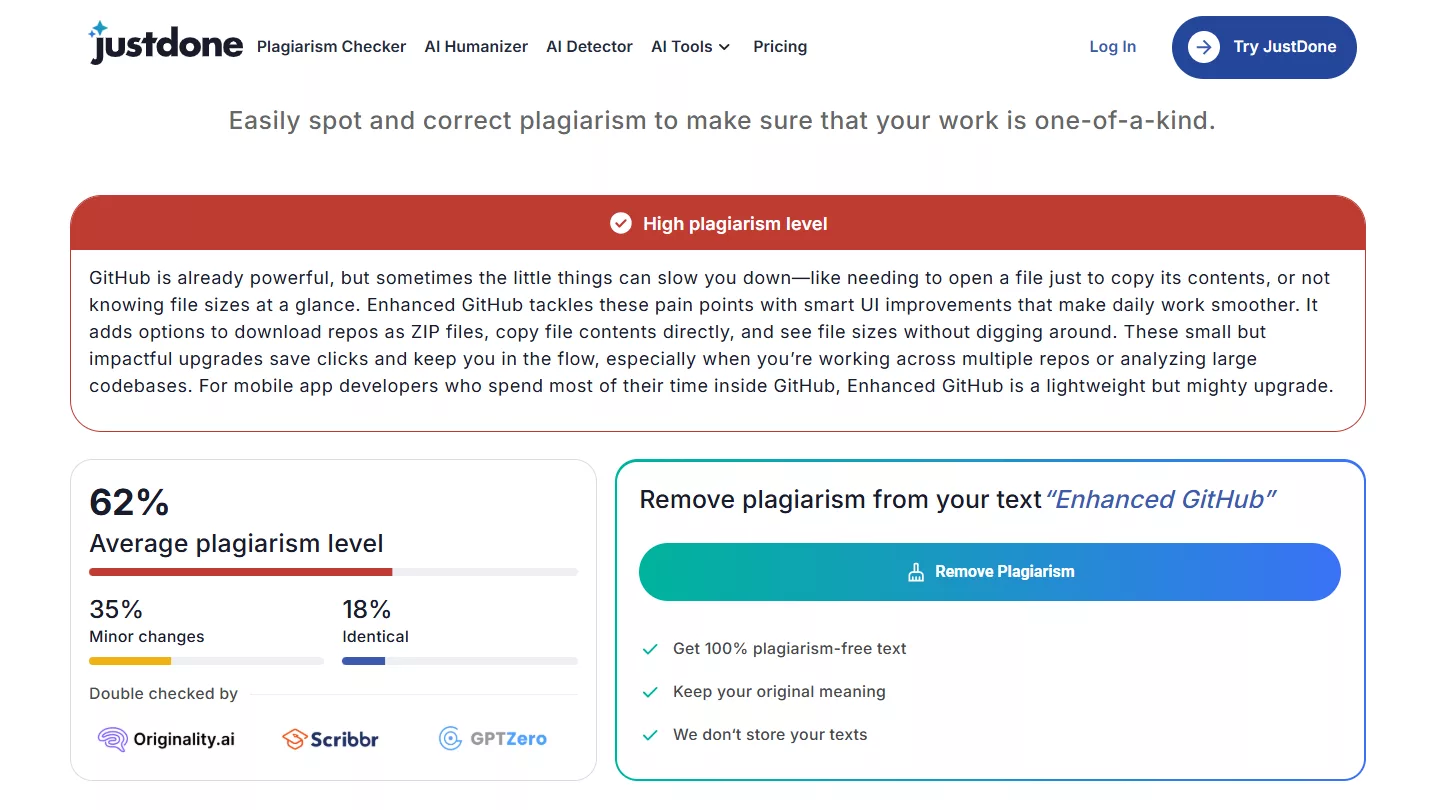
5) Plagiarism Checking Capability
Users can scan content to check originality. The tool compares text against online sources and generates a report. This supports academic integrity and content uniqueness.
6) Multiple Writing Modes for Different Content Types
The platform offers different writing modes tailored for:
- Academic writing
- Blog posts
- Marketing copy
- Social media captions
- Professional emails
This makes the tool flexible across industries.
7) Real-Time Editing Interface
JustDone provides a live editing dashboard where users can:
- Paste content
- Apply tools instantly
- Compare versions
- Edit final drafts
The interface is structured to minimize complexity.
8) Tone Adjustment and Style Customization
Users can modify tone based on intent. For example:
- Formal
- Casual
- Informative
- Persuasive
This supports brand consistency and audience targeting.
How to Use JustDone
Getting started with JustDone is straightforward, even if you have never used an AI writing tool before. The platform is designed to guide users step by step, from account creation to final content export. Below is a detailed walkthrough so you clearly understand how to use JustDone in real-world scenarios.
Step 1: Access the Official Website
Open your browser and visit the official JustDone website. Since JustDone is fully web-based, there is no need to download or install any application. The platform works directly through modern browsers on desktop or laptop devices.
Once on the homepage, you will see options to sign up or log in. New users can begin by creating an account.
Step 2: Create an Account and Sign In
Click on the “Sign Up” button and enter your email address along with a secure password. Some users may also have the option to sign in using linked accounts, depending on availability.
After registration, you may receive a verification email. Confirm your email to activate your account. Once verified, log in to access the dashboard.
This process typically takes only a few minutes and does not require advanced setup.
Step 3: Explore the Dashboard and Select a Tool
After logging in, you will be directed to the main dashboard. This is where all tools are organized into categories such as:
- Content generation
- Paraphrasing and rewriting
- Humanization
- Grammar improvement
- Plagiarism checking
- AI detection assistance
Take a moment to review the available tools. Each feature is clearly labeled so you can quickly identify the one that matches your task.
For example:
- If you need to create a new article, select the content generation tool.
- If you want to improve existing text, choose the rewriting or grammar feature.
Step 4: Input Your Text or Provide a Prompt
Once you select a tool, you will see a text input field.
There are two common scenarios:
Scenario 1: Generating New Content
Enter a topic, title, or instruction such as:
“Write a 500-word blog post about digital marketing trends.”
The AI will process your prompt and generate structured content within seconds.
Scenario 2: Improving Existing Content
Paste your existing paragraph or document into the text box.
Select the desired function, such as paraphrasing, grammar correction, or humanization.
This flexibility makes JustDone suitable for both new drafts and content refinement.
Step 5: Review the Generated Output Carefully
After processing, JustDone will display the output directly in the editing interface.
At this stage, you should:
- Read through the content carefully
- Check for tone consistency
- Ensure factual accuracy
- Confirm clarity and structure
Most tools allow you to regenerate results if needed. You can also compare the original and revised versions side by side, depending on the feature used.
This review step is important because AI-generated text should always be evaluated before final use.
Step 6: Adjust Tone and Style if Needed
If your content needs a specific tone, use the tone adjustment feature. For example:
- Choose a formal tone for academic writing
- Select a conversational tone for blogs
- Use professional tone for business communication
You can refine the text multiple times until it aligns with your goals. This flexibility helps tailor content for different audiences.
Step 7: Run Plagiarism or AI Detection Checks
Before finalizing your content, you may want to verify originality.
- Use the plagiarism checker to scan for similarities.
- Use AI detection tools to assess how natural the writing appears.
These checks are especially helpful for academic or published work where originality matters.
Reports are typically displayed within the dashboard and can guide further editing.
Step 8: Edit Directly Within the Built-In Editor
JustDone includes a live editing interface. You can:
- Manually modify sentences
- Shorten or expand paragraphs
- Add headings
- Correct formatting
The editor supports direct refinement, so you do not need to switch between multiple applications.
This step ensures your final content reflects your personal voice and requirements.
Step 9: Copy or Export the Final Content
Once satisfied, copy the text directly from the editor and paste it into your document, blog platform, or submission portal.
Depending on your subscription plan, additional export options may be available.
Always do a final proofreading pass before publishing or submitting.
Step 10: Manage Ongoing Projects and Usage
For regular users, JustDone can become part of a daily workflow.
You can:
- Start new writing projects
- Revisit drafts
- Track usage limits (if on a limited plan)
- Manage subscription settings
Frequent users often integrate the platform into content production routines, especially for blog publishing, academic assignments, and marketing materials.
Pricing & Subscription Details of JustDone
JustDone operates on a subscription-based pricing model that unlocks its complete AI writing toolkit. Instead of paying per feature, users gain access to all tools under a selected plan. This includes more than 35 tools such as the AI Humanizer, Plagiarism Checker, Grammar Corrector, rewriting features, and content generation modes.
The platform offers flexible billing structures, including short-term access and unlimited plans. Below is a detailed breakdown of current pricing.
| Plan Name | Price | Features Included | Limitations | Cancellation Policy |
|---|---|---|---|---|
| 7-Day Access | $2.00 (Renews at $39.99/month if not cancelled) | Full toolkit access (35+ tools) | Trial period; auto-renews at standard monthly rate | Must cancel before renewal to avoid monthly charge |
| Unlimited Monthly | $19.99/month | Full toolkit access (35+ tools) | Monthly billing | Cancel anytime |
| Unlimited Annual | $24.99/month (billed annually) | Full toolkit access (35+ tools) | Annual billing commitment | Cancel according to annual billing terms |
Pros and Cons of JustDone
Before choosing any AI writing tool, it is important to evaluate both its strengths and practical limitations in real-world use. In this section of our JustDone review, we break down what the platform does particularly well and where users may experience constraints depending on their needs, usage frequency, and preferred workflow.
Here, we help readers quickly understand whether JustDone aligns with their writing goals, whether for academic work, professional communication, or content marketing.
| Pros | Cons |
|---|---|
| Multiple writing tools in one platform | Web-only access |
| Fast content generation | Subscription required for full access |
| Rewriting and humanization tools | Feature limits in free tier |
| Grammar and editing support | Requires internet connection |
| Plagiarism detection included | Account creation mandatory |
| Simple dashboard layout | No standalone mobile app |
| Tone customization | Usage caps on trial |
| Quick processing speed | Feature availability varies by plan |
| Structured workflow | — |
| Suitable for multiple industries | — |
AppsInsight Rating
At AppsInsight.co, we evaluate apps using structured criteria to ensure consistency and clarity. Below is the detailed rating breakdown for JustDone based on functionality, usability, and overall performance.
| Rating Category | Score |
|---|---|
| Features | 4.5 / 5 |
| Ease of Use | 4.6 / 5 |
| Pricing Value | 4.3 / 5 |
| Performance | 4.5 / 5 |
| Reliability | 4.4 / 5 |
| Overall Rating | 4.5 / 5 |
Final Say by AppsInsight
At AppsInsight.co, we evaluate tools based on clarity, usability, and consistent functionality. JustDone delivers a structured writing assistant experience by combining content generation, editing, and refinement tools into a single dashboard.
It performs best for users who regularly create written content and want efficiency without switching between multiple services. The platform’s real strength lies in its consolidated workflow and straightforward interface.
For students, professionals, and marketers managing daily writing tasks, JustDone provides organized AI-driven assistance that supports productivity and content clarity in 2026.