


Homebase
All-in-one employee scheduling, time clocks, payroll and HR for small business hourly teams.
Free planPaid from $30/location/mo14-day trial
- Web app
- iOS (iPhone & iPad)
- Android

Employee time tracking and scheduling that syncs with QuickBooks
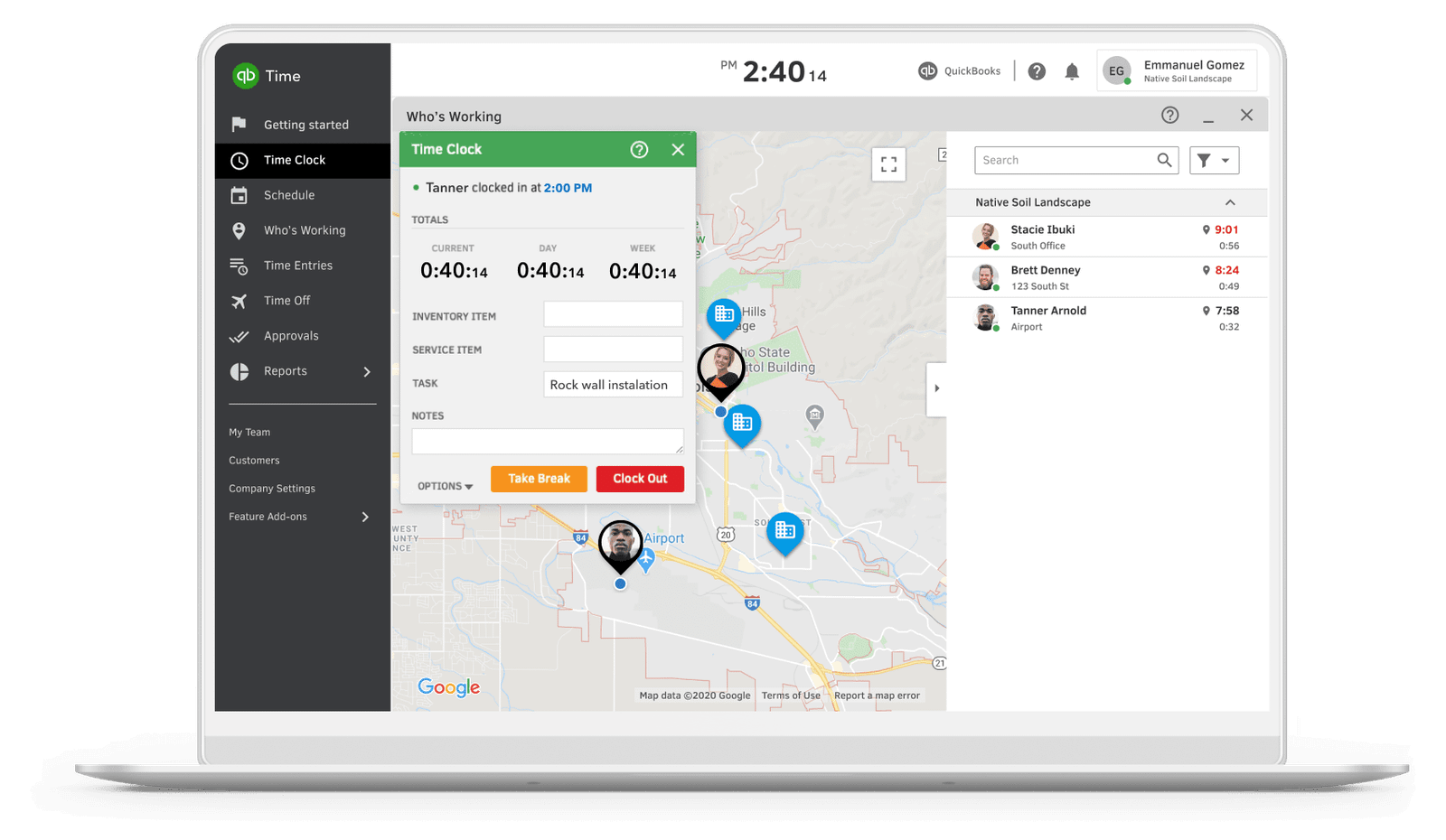
Employee time tracking and scheduling that syncs with QuickBooks QuickBooks Time is Intuit’s employee time tracking and scheduling product.
QuickBooks Time is the natural time-tracking layer for businesses already on QuickBooks: approved hours sync straight into payroll and invoicing, GPS is collected only while workers are on the clock, and a 30-day free trial covers the base price. The Elite tier adds genuine project costing with estimates versus actuals.
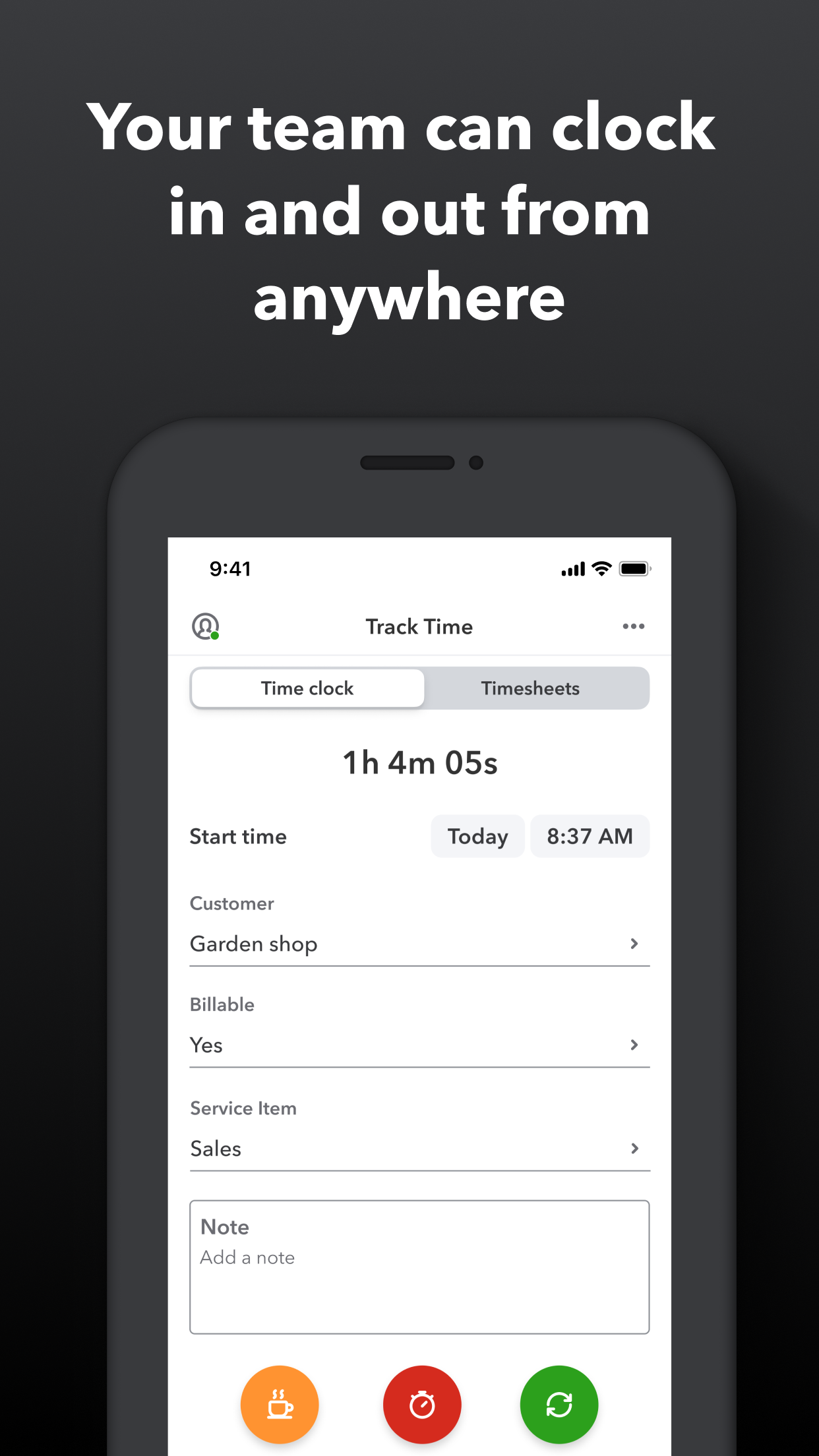
QuickBooks Time is Intuit’s employee time tracking and scheduling product. It began as TSheets, founded in 2006 in Eagle, Idaho; Intuit announced its acquisition of TSheets in December 2017 and later renamed the product QuickBooks Time. Teams track time from the web dashboard or the official QuickBooks Workforce mobile app (formerly the TSheets app) on iOS and Android.
Workers clock in and out from any device, and admins see everyone’s status on a Who’s Working map. QuickBooks Time’s own disclosures note that GPS location is shared only while a user is on the clock, and not saved when they are off the clock. Timesheets can be edited and approved from the web, and approved hours sync to QuickBooks Online and QuickBooks Payroll for payroll and invoicing.
The Time Elite tier adds project collaboration: project tracking with deadlines, project estimates versus actuals, a project activity feed, timesheet signatures for sign-offs, and
QuickBooks Time is Intuit’s employee time tracking and scheduling product. It began as TSheets, founded in 2006 in Eagle, Idaho; Intuit announced its acquisition of TSheets in December 2017 and later renamed the product QuickBooks Time. Teams track time from the web dashboard or the official QuickBooks Workforce mobile app (formerly the TSheets app) on iOS and Android.
Workers clock in and out from any device, and admins see everyone’s status on a Who’s Working map. QuickBooks Time’s own disclosures note that GPS location is shared only while a user is on the clock, and not saved when they are off the clock. Timesheets can be edited and approved from the web, and approved hours sync to QuickBooks Online and QuickBooks Payroll for payroll and invoicing.
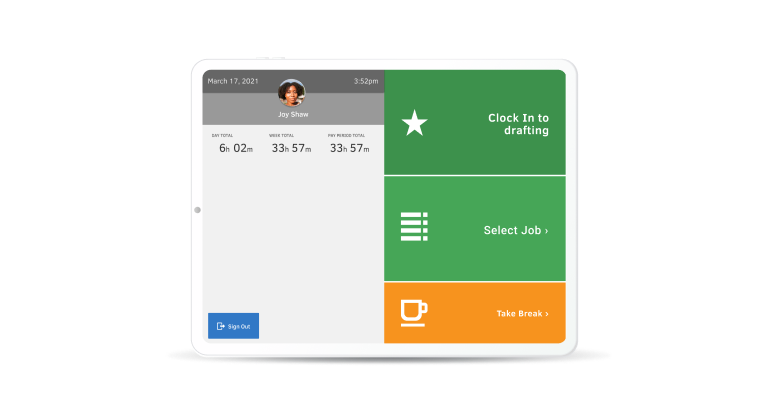
The Time Elite tier adds project collaboration: project tracking with deadlines, project estimates versus actuals, a project activity feed, timesheet signatures for sign-offs, and mileage tracking. Both tiers include time-off management, alerts and notifications, photo attachments on timesheets, and Time Kiosk – a shared-device punch clock for tablets or desktops that offers an optional facial-recognition check.
Pricing is per month with a base fee plus a per-worker fee. Time Premium is $20 per month plus $10 per user per month, and Time Elite is $40 per month plus $12 per user per month; each base fee includes one admin. Intuit’s official terms describe a 30-day free trial for new customers (the trial applies to the monthly base price, not per-worker fees). One requirement to know upfront: Intuit states that a QuickBooks Online account is required to use QuickBooks Time. A Workforce Premium bundle adds full-service payroll at $88 per month plus $13 per employee per month.
QuickBooks Time fits field-service, construction, retail and professional-service teams that already run their books on QuickBooks and want hours to flow into payroll without re-entry. Buyers who do not use QuickBooks Online should factor in that requirement before choosing it.
We researched QuickBooks Time in October 2026 using the official product and pricing pages on quickbooks.intuit.com, including Intuit's published offer terms and feature disclosures, plus Intuit's press release on the TSheets acquisition. Prices were confirmed on the rendered pricing page with standard (non-promotional) rates. No hands-on testing was performed.
| Pricing | Paid Subscription |
|---|---|
| Starting price | $20/mo + $10/user |
| Free plan | No |
| Free trial | Yes (30 days) |
| Pricing page | View pricing |
| Platforms | Web app, iOS (iPhone & iPad), Android |
| API | Yes |
| Company | Intuit (QuickBooks Time) |
| Apps Insight Score | 47/100 |
| Implementation | Easy |
| Learning curve | Beginner |
Editorial points are assigned by AppsInsight editors and cannot be purchased or influenced.
| Feature | QuickBooks Time | Homebase | When I Work | Deputy |
|---|---|---|---|---|
| Rating | 4.3 / 5 | 4.5 / 5 | 4.4 / 5 | 4.4 / 5 |
| Pricing | Paid Subscription | Free+Paid | Paid Subscription | Paid Subscription |
| Starting price | $20/mo + $10/user | From $30/location/mo | From $2.50 | From $5 |
| Free plan | Included | Included | Included | Included |
| Free trial | Yes (30 days) | Yes (14 days) | Yes (14 days) | Yes (31 days) |
| Platforms | Web app, iOS (iPhone & iPad), Android | Web app, iOS (iPhone & iPad), Android | Web app, iOS (iPhone & iPad), Android | Web app, iOS (iPhone & iPad), Android |
| Best for | Teams already using QuickBooks Online or QuickBooks Payroll Field and shift-based crews that need mobile clock-in with on-the-clock GPS | Restaurants, cafes, bars and hospitality venues Retail shops and boutiques Health, beauty and wellness businesses Single-location small businesses wanting a free scheduling plan Hourly teams that want scheduling, time clock and payroll in one app | Restaurants, cafes, bars Retail shops and franchises Healthcare providers and clinics Multi-location service businesses Any hourly, shift-based team of 5 to 500 | Hospitality businesses - restaurants, cafes, pubs, hotels Retail stores and multi-location chains Healthcare and aged-care providers with rotating rosters Growing hourly workforces that need compliance and labor-cost controls Managers who want AI-assisted scheduling and demand forecasting |
QuickBooks Time vs Homebase QuickBooks Time vs When I Work QuickBooks Time vs Deputy
$20 + $10/user /mo
$40 + $12/user /mo
All-in-one employee scheduling, time clocks, payroll and HR for small business hourly teams.

All-in-one employee scheduling, time tracking and team messaging for hourly teams

AI-powered employee scheduling, HR and payroll software for shift-based teams

Restaurant employee scheduling, time clocking, payroll and team messaging in one platform.

Shift scheduling, time tracking and payroll-ready workforce management for hourly teams

Canadian employee scheduling and HR software with shift planning, time tracking and team communication

Employee scheduling and time tracking for shift-based teams
Canadian employee scheduling and HR software with shift planning, time tracking and team communication
Shift scheduling, time tracking and payroll-ready workforce management for hourly teams

Work schedule maker and time clock for hourly teams, free for up to 20 employees.
No reviews yet. Be the first to review this app.
Already have an account? Log in to track your reviews.