
Best AI Notetaker

Grain

AI notetaker for teams that turns meetings into usable context
Free plan
- Web app
- Browser extension
- iOS (iPhone & iPad)
- Android

Sai, an autonomous computer agent that runs your screen tasks in the cloud or on your devices
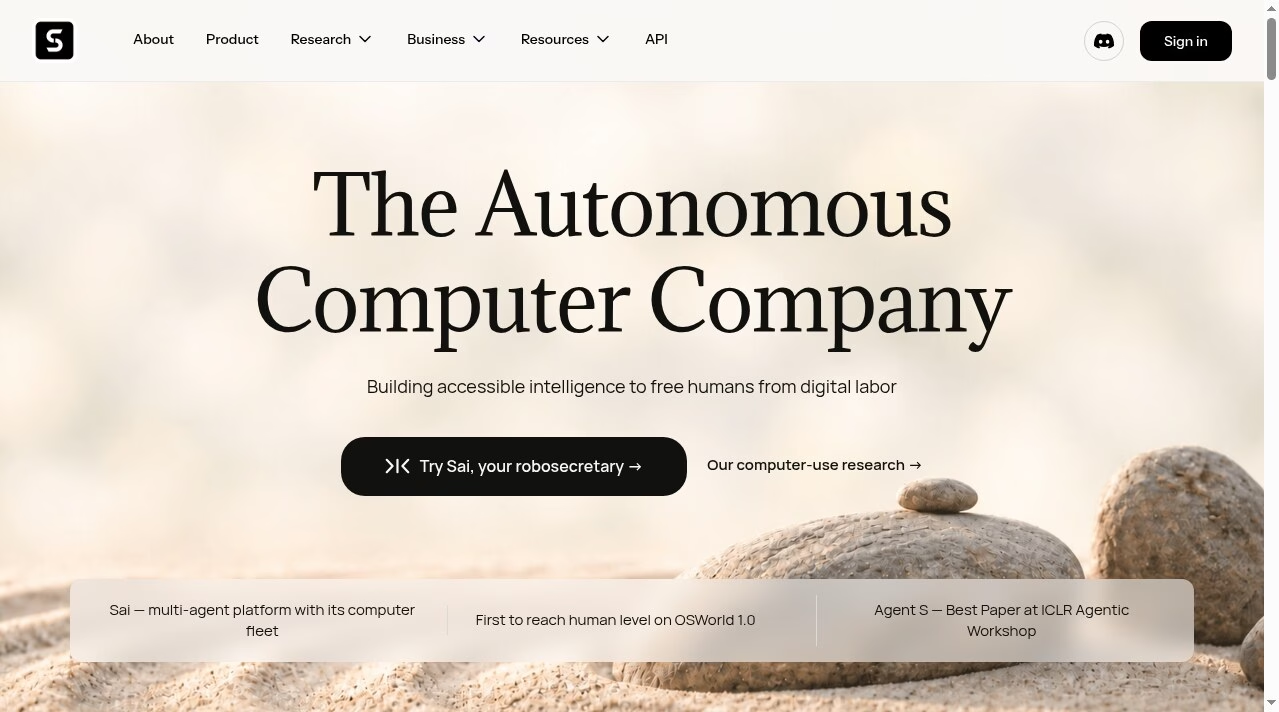
Sai, an autonomous computer agent that runs your screen tasks in the cloud or on your devices Simular builds computer-use agents: software that operates a computer the way a person does, with clicks, keystrokes and logic, instead of calling an API.
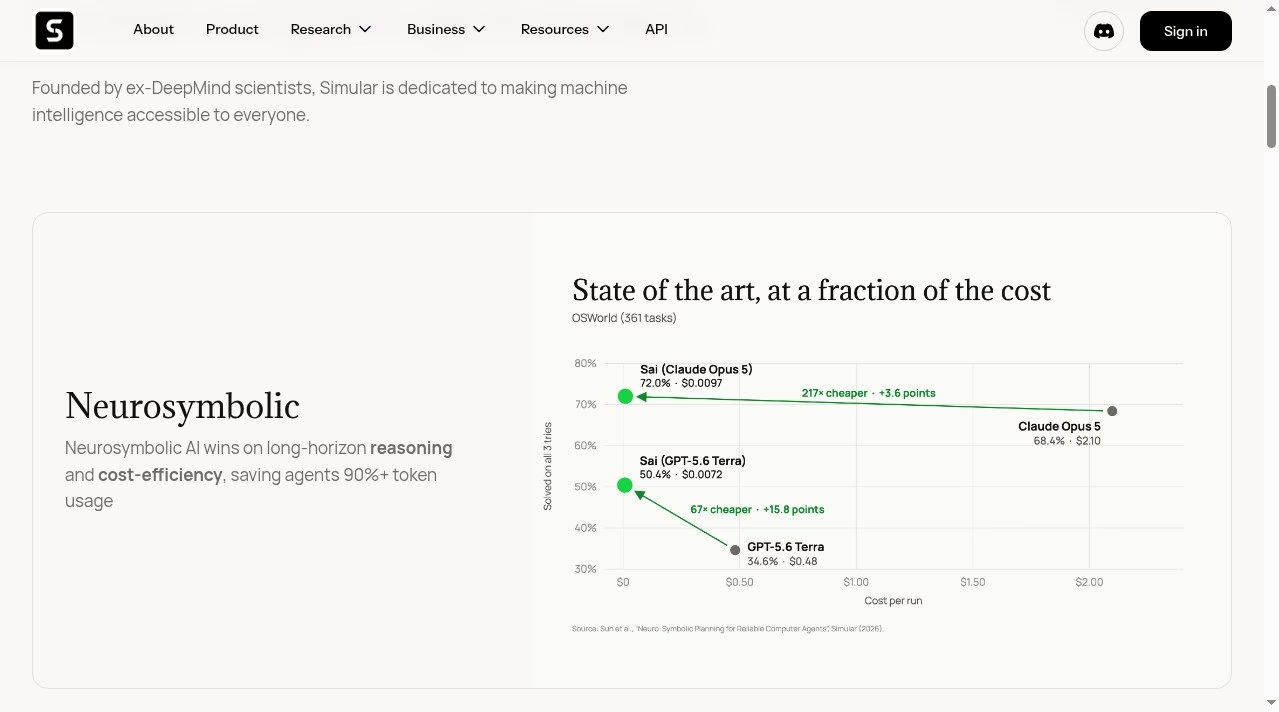
Simular targets work that APIs cannot reach. Sai drives real desktop and cloud computers, you can teach it a workflow once and replay it, and the company backs it with published computer-use research and an open-source framework.
Simular builds computer-use agents: software that operates a computer the way a person does, with clicks, keystrokes and logic, instead of calling an API. Its flagship product is Sai, which the company calls a robosecretary. Sai runs autonomous computers that take on the screen tasks that eat into a working day. Simular describes itself as founded by ex-DeepMind scientists, and it publishes its research and open-source work on GitHub, including the Agent S computer-use framework and the Simulang scripting language.
Sai starts using your everyday apps with no integration work, runs on Windows, macOS, Linux or a cloud virtual machine, and can replay a workflow you teach it once. That makes it useful for tasks that have no public API, such as legacy desktop software or internal tools. Workflows can be shared publicly through the Simular Gallery, or privately inside a team on the Pro and Enterprise
Simular builds computer-use agents: software that operates a computer the way a person does, with clicks, keystrokes and logic, instead of calling an API. Its flagship product is Sai, which the company calls a robosecretary. Sai runs autonomous computers that take on the screen tasks that eat into a working day. Simular describes itself as founded by ex-DeepMind scientists, and it publishes its research and open-source work on GitHub, including the Agent S computer-use framework and the Simulang scripting language.
Sai starts using your everyday apps with no integration work, runs on Windows, macOS, Linux or a cloud virtual machine, and can replay a workflow you teach it once. That makes it useful for tasks that have no public API, such as legacy desktop software or internal tools. Workflows can be shared publicly through the Simular Gallery, or privately inside a team on the Pro and Enterprise plans.
The homepage states that Agent S received the Best Paper award at the ICLR 2025 Agentic AI for Science workshop and that Simular was first to reach human level on OSWorld 1.0. These are Simular’s own claims; check the linked papers before relying on them.
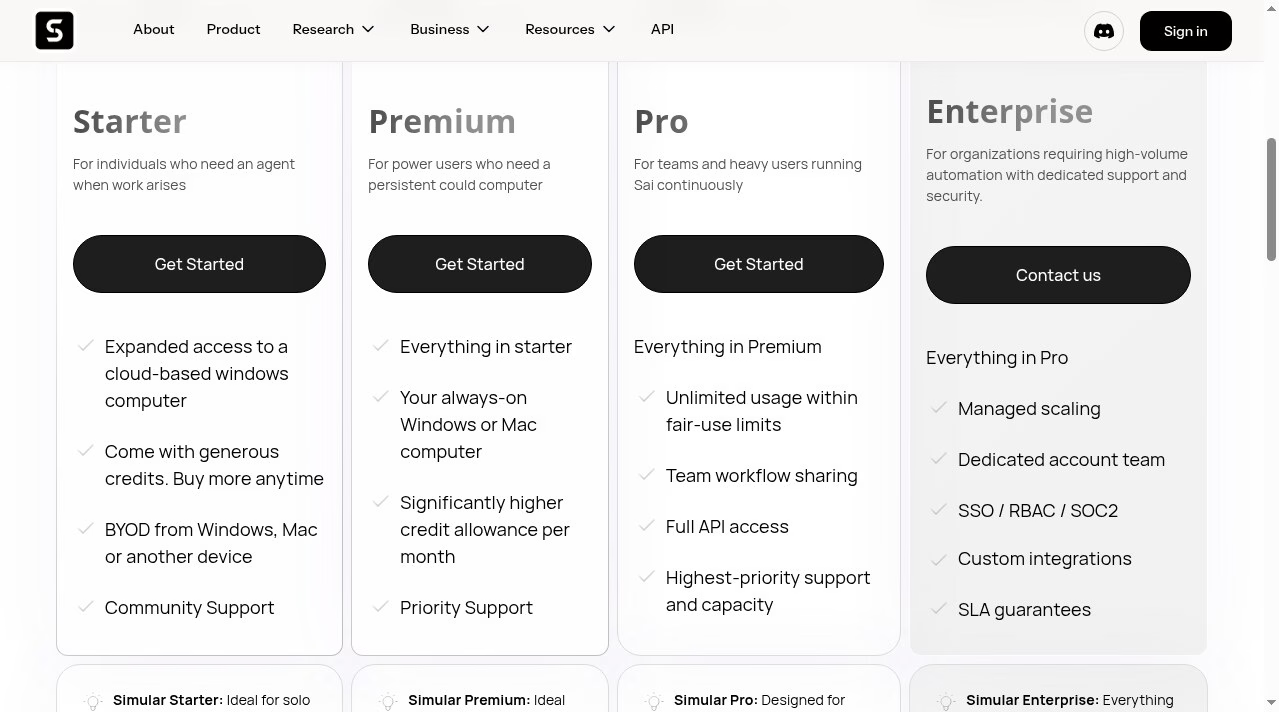
Per the pricing page on 5 October 2026, Starter is $50 per month (shown reduced from $200), Premium is $200 per month and Pro is $500 per month, with custom Enterprise pricing. The page says access is invite only, with an option to move up the list by sharing Simular’s launch video. There is no annual pricing at the moment.
AppsInsight desk research, 5 October 2026. We read Simular's homepage and pricing page and confirmed plan prices by viewing the pricing page on that date. We did not run Sai on a production workflow. Research and benchmark claims are Simular's own. Founder names, team size and founding year were not verified, so those fields are blank.
| Pricing | Paid Subscription |
|---|---|
| Starting price | $50 |
| Free plan | No |
| Free trial | No |
| Pricing page | View pricing |
| Platforms | Web app, macOS, Windows, Linux, API / SDK |
| API | Yes |
| Company | Simular Inc. |
| Apps Insight Score | 42/100 |
| Implementation | Easy |
| Learning curve | Beginner |
Editorial points are assigned by AppsInsight editors and cannot be purchased or influenced.
| Feature | Simular (Sai) | Grain | OpenClaw | Decagon |
|---|---|---|---|---|
| Rating | 4.0 / 5 | 5.0 / 5 | 5.0 / 5 | 5.0 / 5 |
| Pricing | Paid Subscription | Free plan | — | — |
| Starting price | $50 | Free | — | — |
| Free plan | Included | Included | No | No |
| Free trial | No | No | No | No |
| Platforms | Web app, macOS, Windows, Linux, API / SDK | Web app, Browser extension, iOS (iPhone & iPad), Android, macOS, Windows, Linux | macOS, Windows, Linux | Web app |
| Best for | Operators, founders and teams who lose hours to repetitive screen work in tools that have no API, and who want an agent that can work on a Windows or Mac machine. | Sales teams, customer success teams, founders, agencies, ops teams, AI-first teams | Developers, solo founders, technical operators, AI enthusiasts, marketing agencies, SMB teams, support teams, internal ops teams | Enterprise SaaS teams, CX operations leaders, customer support automation teams, product-led companies, ops-heavy support organizations |
Simular (Sai) vs Grain Simular (Sai) vs OpenClaw Simular (Sai) vs Decagon
$50 /mo
$200 /mo
$500 /mo
Custom /mo

AI notetaker for teams that turns meetings into usable context




AI dictation that cleans up speech in any app

One workspace to run Claude Code, Codex and any coding agent in parallel

Build and publish real apps from Claude, ChatGPT or Cursor, with backend and hosting included

Help center with an AI agent that checks every article against your product and drafts the…

AI video agent that plans, makes and revises a finished video from a chat
No reviews yet. Be the first to review this app.
Already have an account? Log in to track your reviews.