How to Create Music Apps Like Musi | 10 Musi Alternatives
If you love free music apps, you are not alone. The global music streaming market was worth around 46–47 billion USD in 2024 and is projected to more than double by 2030 as more people move from downloads to on-demand listening. This fast growth means users like you want flexible, low-cost apps, while creators and companies keep launching new services to stand out. In this guide, we will talk about Musi, why people look for Musi Alternatives, and how you can explore 10 options that feel similar but offer their own twist.
About Musi

Musi is a simple music streaming app that lets you play audio from online video platforms in a clean, audio-first interface. You can search for songs, create playlists, and stream tracks in the background while you use other apps. Many users like Musi because it feels light, free to use, and does not force you to sign up before you start listening.
At the same time, Musi does not host its own music library, so it depends on third‑party sources and the rules of those platforms. That means its content and features can change if platform policies or app store rules change. So while Musi is handy, you may want other options that are more stable, more legal in terms of licensing, or richer in features.
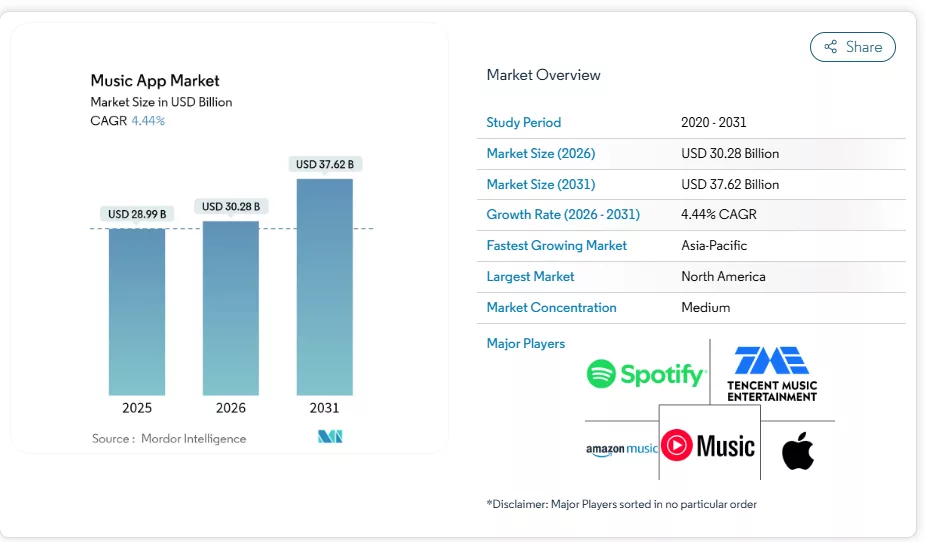
Music App Trends and Statistics
The demand for music apps continues to rise steadily. Mobile music streaming remains one of the most downloaded and widely used app categories worldwide, reflecting its strong global popularity.
What’s The Need of Musi Alternatives Apps?
You and many other listeners often want more control over your music experience. For example, you may want true offline playback, better sound quality, or a service that clearly pays artists through proper licenses. Musi Alternatives can help you solve these gaps while still keeping the free or low‑cost feel you enjoy.
The music streaming market is growing at a strong double‑digit CAGR, driven by smartphones, cheap data, and smart speakers. With this growth, different apps target different needs: some focus on free offline listening, some focus on indie artists, and others try to replace your traditional music player. When you explore Musi Alternatives, you give yourself more choice and reduce your risk if one app suddenly changes or goes offline.
Key Things That Make a “Musi‑Like” App
Before we jump into the list, it helps if you know what makes an app “Musi‑like” in daily use:
- Simple, clean interface with quick search and easy navigation.
- Background play so you can use other apps while music runs.
- Playlists, favorites, and listening history to organize your tracks.
- Support for offline listening or low‑data modes (even if limited).
- A free or freemium model with ads instead of a high monthly fee.
If an app checks most of these boxes, it can work as one of your personal Musi Alternatives.
How to Create a Music App Like Musi (High-Level)
If you want to build an app like Musi, you first need to define your audience: are you targeting casual listeners, power users, or indie creators? Once you know this, you can plan features like search, playlists, queue management, and social sharing.
You then need to decide how you will get music. Some apps get licenses from labels, some work as discovery platforms where artists upload their own tracks. You will also choose your tech stack (for example, native iOS/Android, backend APIs, and a cloud provider) and think about legal issues around streaming rights. To stand out in a busy market, you can include extras like smart recommendations, equalizer presets, and mood‑based playlists.
10 Best Musi Alternatives You Can Try
1. Demus
Demus is a music app that aims to give you a smooth listening experience without feeling heavy or complex. It positions itself between a basic music player and a full streaming service, so you can manage local music files and explore online tracks in one place. You can quickly search songs, save playlists, and keep your favorite tracks at the top so you don’t waste time scrolling. For a lot of users, Demus feels like a logical step if you are coming from Musi and want more control over how and where your music is stored.
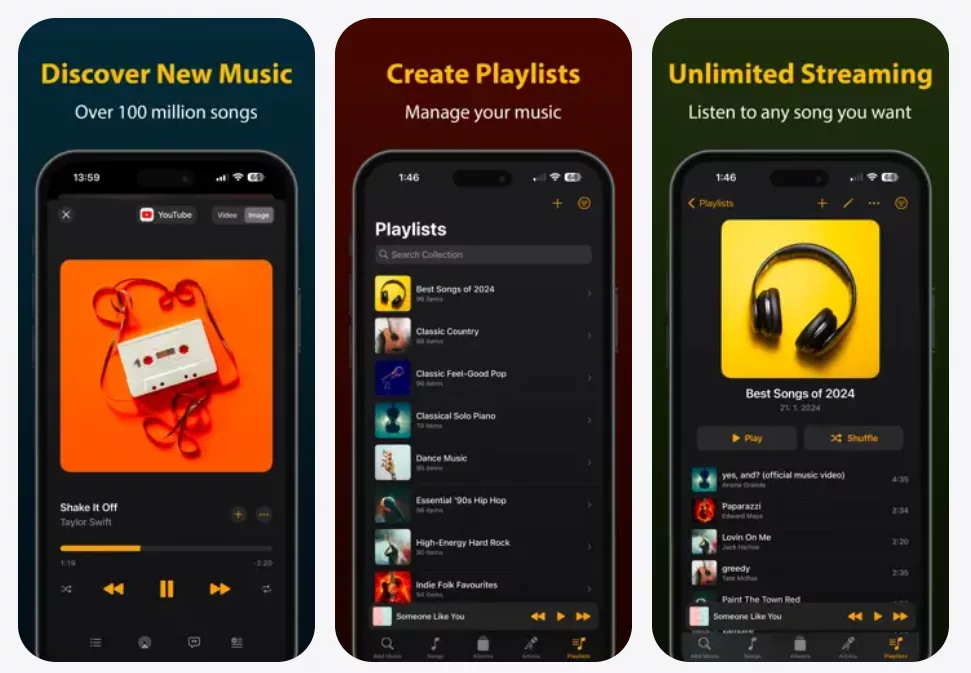
The app normally focuses on a clean design that is easy to understand even if you are not very technical. You can see what is playing, what comes next, and how your playlists are organized at a glance. Many users like that Demus does not overload you with features on day one, but instead lets you grow into advanced options like equalizers and smart queues. If you want Musi Alternatives that still feel light and casual, Demus can be a friendly starting point.
Features
- Simple interface with fast music search.
- Playlist support for quick organization.
- Local file and online playback options.
- Background play and lock‑screen controls.
- Basic audio tweaks like volume boost or equalizer presets.
Best For
Listeners who want a clean, Musi‑style app that can grow with them over time.
2. Musicana
Musicana is another app that tries to combine offline and online listening in one simple package. Instead of forcing you to pick one service, it lets you manage songs stored on your device and stream from online sources with one consistent interface. That makes it easy for you to bring your older downloads and new discoveries together. If you are used to Musi, you will recognize the basic flow: search, play, add to playlist, and keep listening in the background.
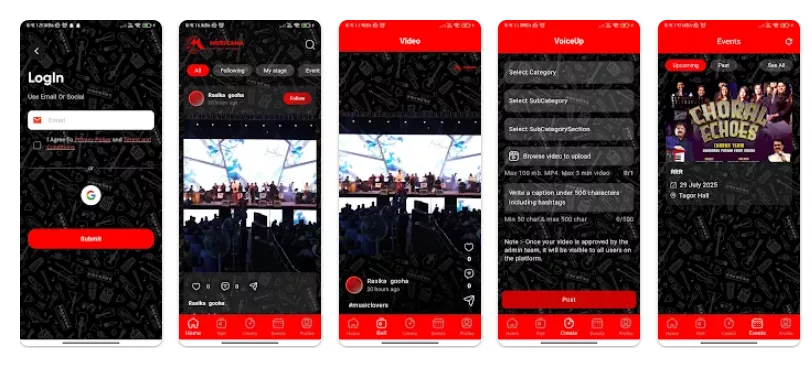
Musicana often includes small details that make daily use more pleasant, like smart suggestions based on your most played tracks and quick access to your recent songs. You do not have to dig deep into menus to get back to something you liked. While it may not be as famous as big-name streaming apps, Musicana fits nicely into the group of Musi Alternatives that focus on practicality instead of hype. If you want a tool that just plays your music and stays out of your way, you may enjoy using it every day.
Features
- Unified view of local and online songs.
- Smart suggestions from your listening history.
- Easy playlist creation and editing.
- Background playback with notification controls.
- Lightweight design for older devices.
Best For
Users who want a simple bridge between local music and online streaming in one app.
3. Youtify
Youtify centers around streaming audio from video platforms while giving you a more music‑friendly interface. If you often play songs from videos but do not like keeping your screen on, Youtify can feel familiar. The app’s idea is to let you search for videos by song, artist, or album, then turn them into a more traditional music experience with playlists and background playback. This makes it a natural option for people who enjoyed how Musi handled similar flows.
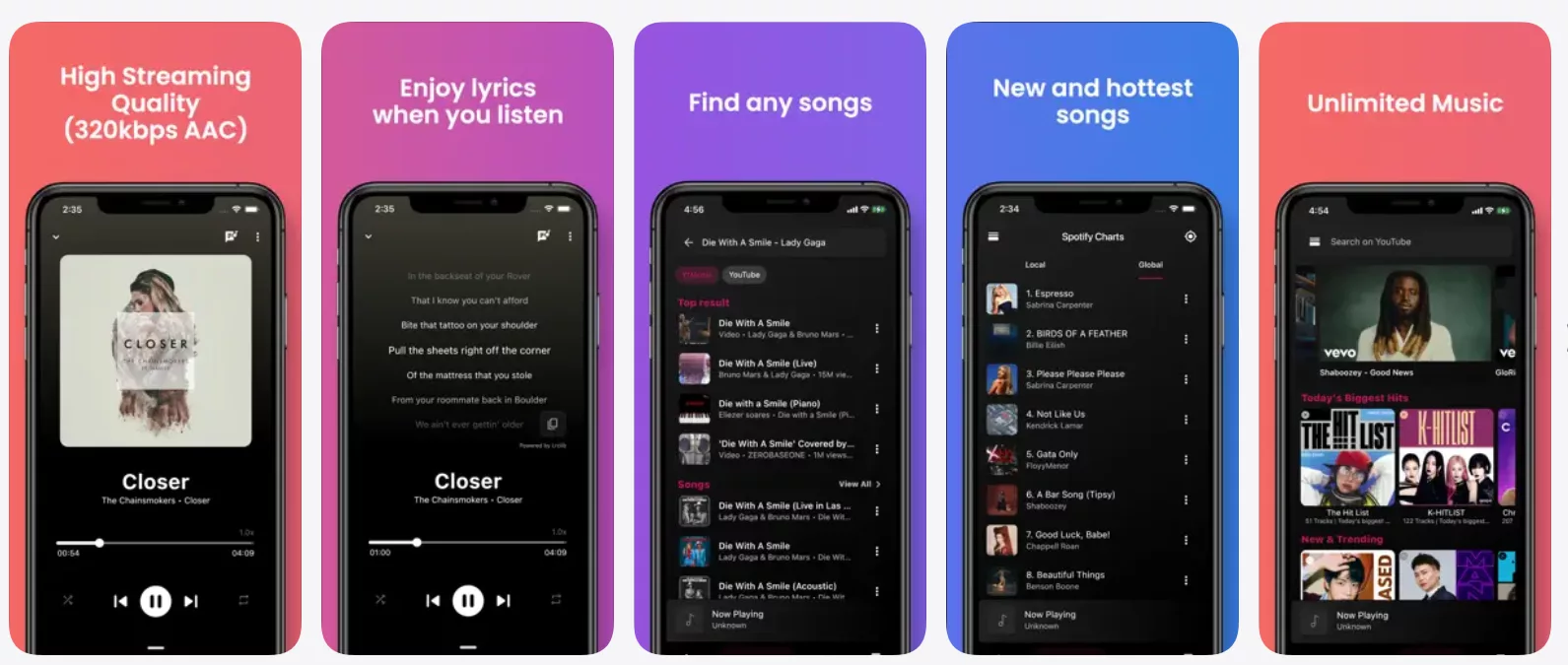
For you as a listener, Youtify tries to reduce friction: you open the app, search for a track, tap play, and keep going with your day. You can save playlists for workouts, study sessions, or trips, and you don’t need to worry about losing your queue if you switch apps. While it still depends on external video content, many users see it as one of the more direct Musi Alternatives because the overall behavior feels close. If you want to keep that “video‑to‑audio” pattern but in a more music‑first layout, Youtify is worth trying.
Features
- Search songs using video platforms as the source.
- Play audio in the background with the screen off.
- Create and manage playlists easily.
- Save and resume recent searches and queues.
- Simple navigation focused on music, not videos.
Best For
People who mainly stream songs from videos and want a cleaner, audio‑only interface.
4. BluePlayer
BluePlayer is built more like a modern local music player with some smart additions. If you keep a library of MP3s or other audio files on your phone, BluePlayer can give you a more polished way to browse and play them. It usually groups tracks by artist, album, folder, and playlist, so you can choose the style that makes sense for you. Compared to Musi, which leans on online content, BluePlayer feels more like a home for your own library.

That said, many users treat BluePlayer as one of their Musi Alternatives because it can still slot into a free, flexible listening setup. You can pair it with another streaming app or use it alongside online tools and still keep your core collection under your control. The app often includes an equalizer, themes, and other customization options, which can help you tune both the sound and look of your player. If you want to move from pure streaming to a balance between owned files and online songs, BluePlayer gives you space to do that on your terms.
Features
- Strong local library support by artist, album, and folder.
- Built‑in equalizer and sound presets.
- Theme and color options for personalization.
- Background play and widget support.
- Lightweight performance for large libraries.
Best For
Users who prefer managing their own audio files but still want a modern, app‑store‑ready player.
5. Trebel
Trebel is a free music download and discovery app that focuses on legal offline listening. Its key promise is that you can legally download songs and listen offline at no cost while artists and rights holders still get paid through advertising and brand partnerships. For many users, this makes Trebel feel like a strong step up from simple streaming-only tools, because you can build a library that works even without data.
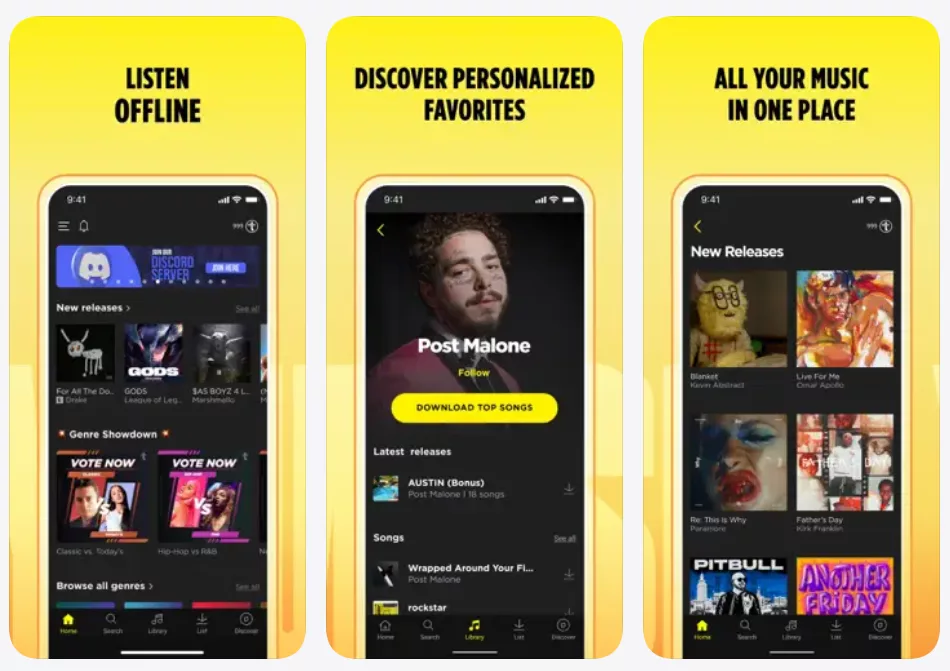
Trebel has a large catalog of licensed songs from major labels and indie providers, so you can discover new tracks and not just replay old favorites. You search for music, watch an ad while your song downloads, and then enjoy it offline later. The app also includes playlists, social elements, and features like SongID, which can recognize music playing around you and add it to your Trebel library. If you are hunting for Musi Alternatives that keep the “free” feeling but add real offline downloads with clear licensing, Trebel is one of the most solid choices.
Features
- Legal free music downloads with offline playback.
- Large catalog from major labels and indies.
- SongID to detect and add nearby music.
- Social features and shared playlists.
- Ad‑supported model instead of a paywall.
Best For
Listeners who want legal, free offline music and do not mind watching occasional ads.
6. eSound
eSound presents itself as a free music streaming app with a focus on custom playlists and a big catalog of tracks. It usually offers a search-first experience, where you open the app, type what you want, and start streaming quickly. For many users, eSound feels like a hybrid of a classic streaming platform and a lighter, more Musi‑style service. You can build playlists for any mood, follow trending lists, and keep your favorite songs close.
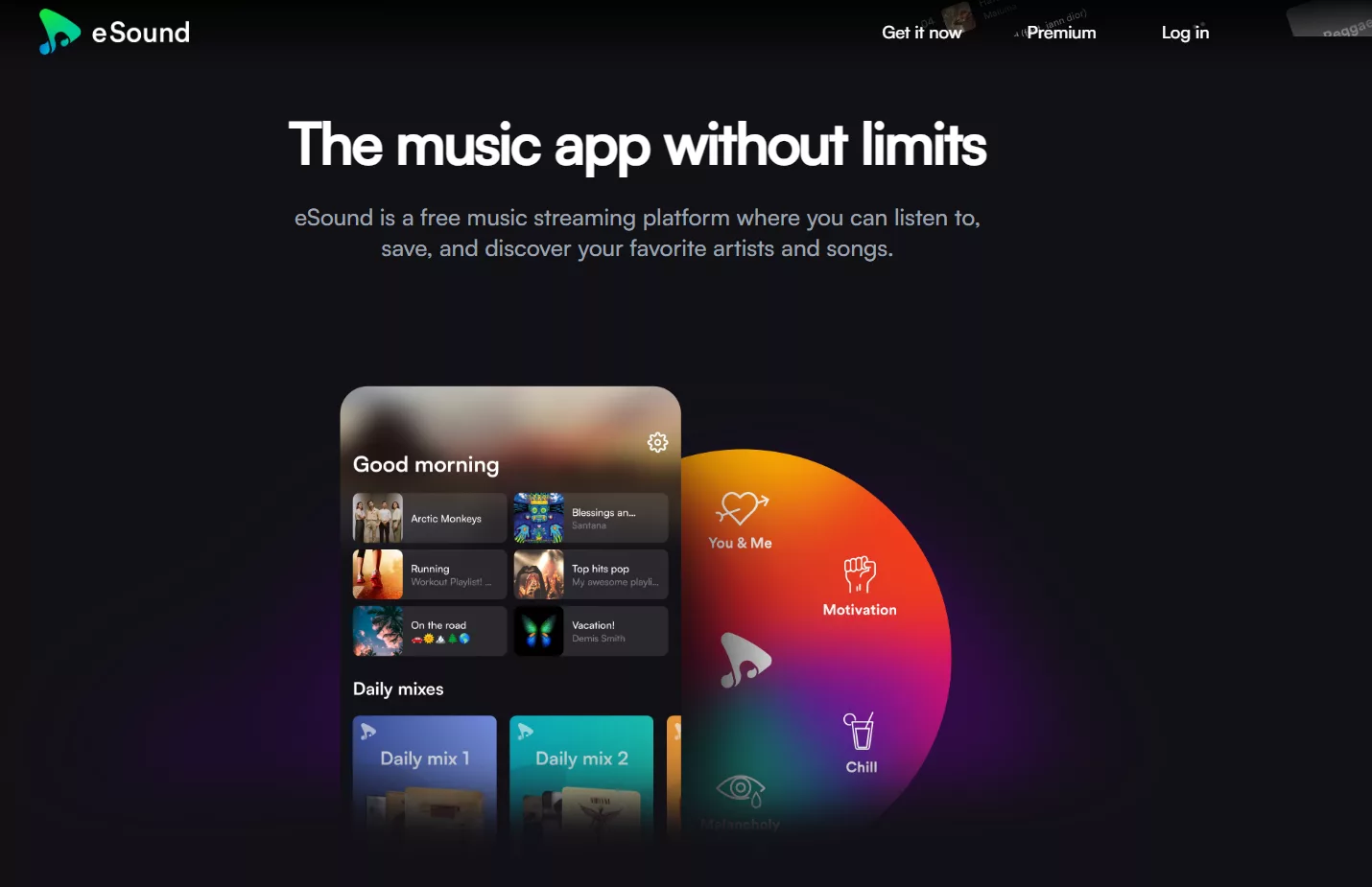
The app often allows background playback and some form of offline or caching support, depending on the plan and region. This helps if you want to save data or handle unstable network connections. While it may include premium options, the free tier tends to be generous enough for casual listeners. In the big picture, eSound works well as one of the more flexible Musi Alternatives for people who want both a modern look and a wide set of tracks without high subscription costs.
Features
- Large searchable catalog of songs.
- Custom and curated playlists for different moods.
- Background play with lock‑screen controls.
- Options for offline or low‑data listening.
- Free tier with optional premium upgrade.
Best For
Users who want a broad streaming catalog with a familiar, playlist‑driven design.
7. Audiomack
Audiomack is a free music streaming and discovery platform that is especially popular with emerging artists in genres like hip‑hop, Afrobeats, and Latin music. Artists can upload their own tracks without limits, and listeners like you can stream and download many songs for free. This creator‑first approach makes Audiomack feel different from mainstream services that only push big-label releases.
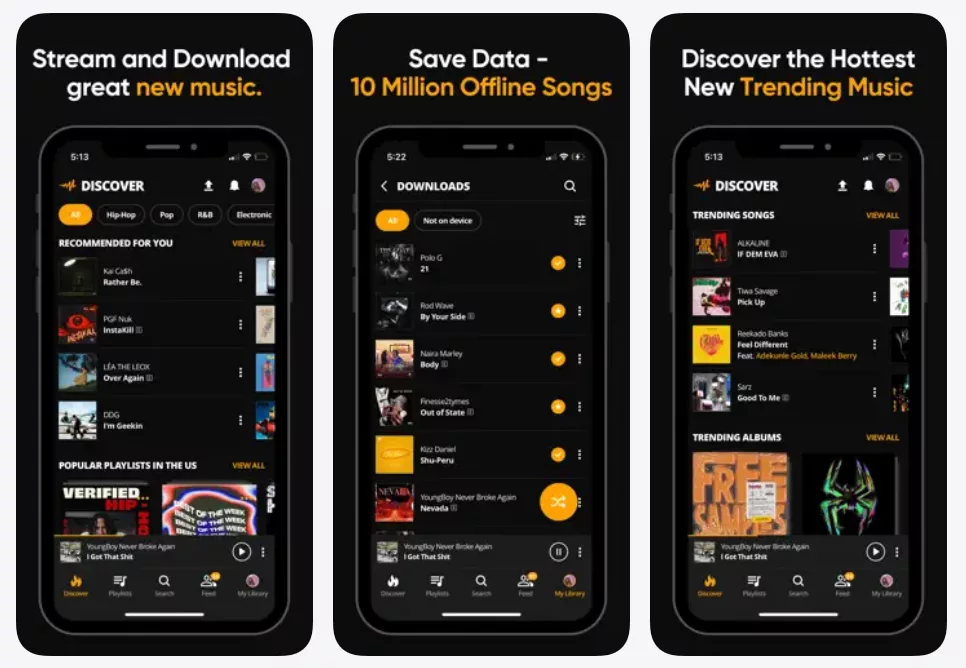
For listeners, Audiomack offers free offline playback and a mix of official releases, mixtapes, and exclusive drops. You can explore trending playlists, follow artists, and get recommendations for new music based on what you play. While the app has an optional subscription that removes ads and unlocks Hi‑Fi playback, the main experience stays free for most features. If you are exploring Musi Alternatives because you want to support smaller artists and discover new sounds, Audiomack is a very strong option.
Features
- Free streaming and downloads for many tracks.
- Unlimited uploads and storage for artists.
- Free offline playback without a paywall.
- Focus on emerging genres and exclusive releases.
- Optional premium tier for ad‑free, Hi‑Fi audio.
Best For
Fans who love discovering new artists and want a free platform with offline listening.
8. Freefy
Freefy positions itself as a free music streaming option that tries to keep things straightforward. Like other Musi Alternatives, it aims to give you quick access to a large library without charging a subscription fee. The app usually relies on ads or partnerships to stay free, while letting you build playlists and browse genres at your own pace. For many users, this is enough to replace multiple smaller music tools with one clean app.
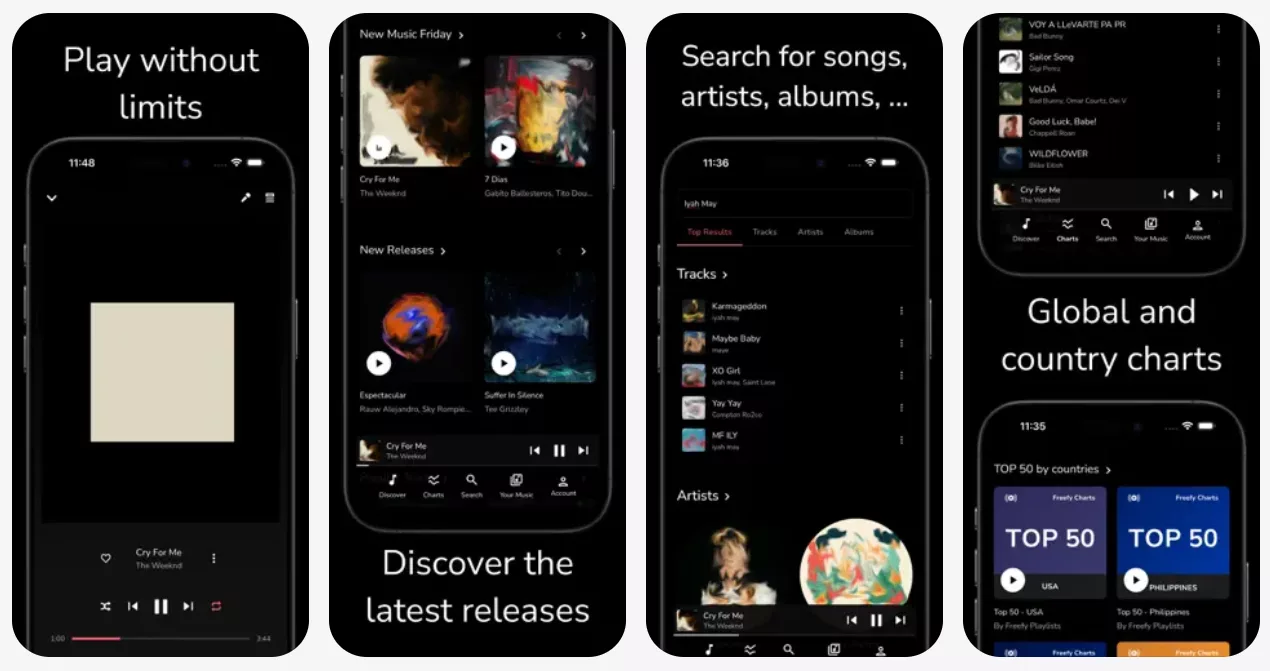
You can treat Freefy as your daily background music tool for work, study, or commuting. It often includes themed playlists and basic discovery features so you can find new songs that match your taste. If you are used to Musi’s simple interface and don’t want a complex sign‑up process, Freefy’s casual experience can feel comfortable. While it may not have all the extras of large services, it fits well for users who value “free and simple” above everything else.
Features
- Free streaming supported by ads.
- Genre‑based and themed playlists.
- Favorites and personal playlist creation.
- Background playback for multitasking.
- Simple onboarding with minimal friction.
Best For
People who just want free background music with basic control and no heavy learning curve.
9. SoundCloud
SoundCloud is one of the largest open audio platforms where creators upload music, podcasts, and mixes for fans to stream. It is known for its strong indie and underground scene, where many artists release tracks on SoundCloud before they appear anywhere else. You can follow artists, like tracks, repost songs, and build playlists, which gives the platform a social media feel. For listeners coming from Musi, SoundCloud offers a different kind of freedom: not just free listening, but a direct link to creators.
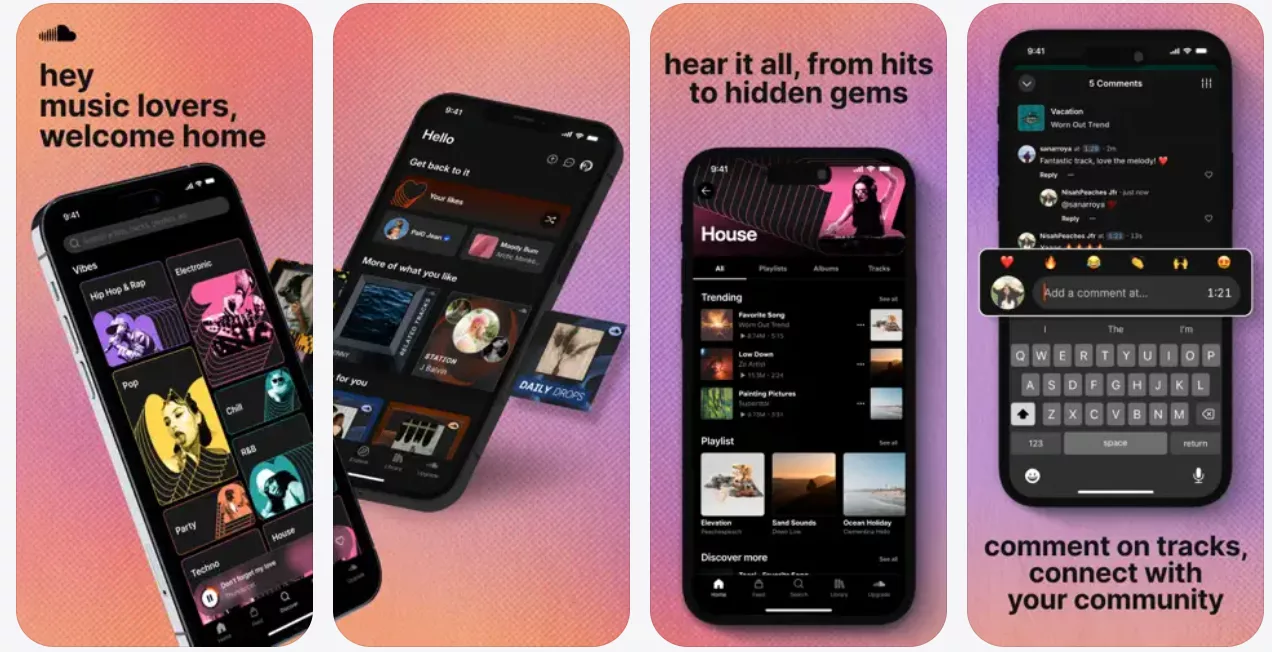
The service runs on a freemium model. You can stream millions of tracks for free with ads, or pay for a premium tier to remove ads and unlock additional licensed content. Many DJs and producers share full sets, remixes, and experimental tracks only on SoundCloud, so you get access to content that standard streaming apps often do not have. If you are looking at Musi Alternatives because you want a deeper catalogue beyond mainstream hits, SoundCloud should be high on your list.
Features
- Huge library of user‑uploaded and official tracks.
- Social features like follows, comments, and reposts.
- Playlists, likes, and personalized streams.
- Free tier with ads plus premium options.
- Web and mobile apps for flexible listening.
Best For
Listeners who enjoy indie music, remixes, and direct interaction with artists.
10. Lark Player
Lark Player is a free music player that focuses on playing audio stored on your device and from online sources through a modern, colorful interface. It is designed to replace your phone’s default music app with something more flexible and fun. Usually, it can scan your local library, organize songs by categories, and give you quick access to playlists and trending tracks. For users who like Musi’s ease but want stronger control over local files, Lark Player can feel like a natural upgrade.
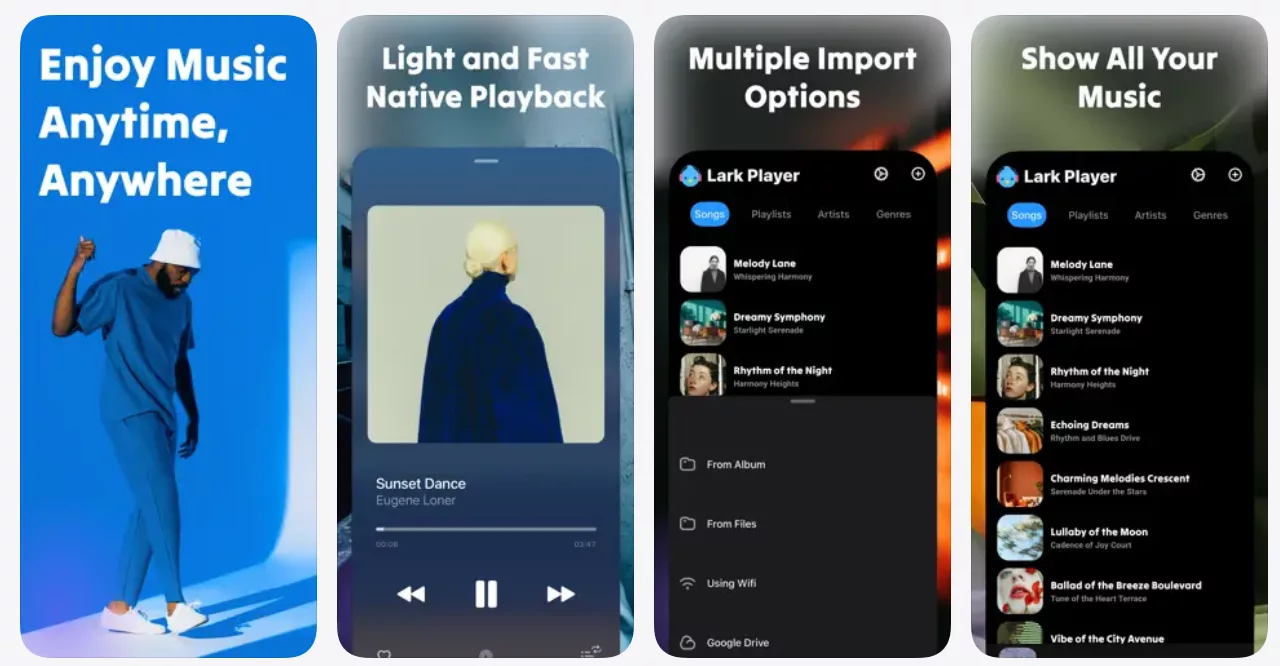
The app often includes a built‑in equalizer, floating player controls, and options to control how your music looks and sounds. This means you can keep your favorite tracks handy and also fine‑tune the listening experience. For many people, Lark Player becomes an everyday tool: you open it in the morning, pick a playlist, and let it run all day. Within the broad set of Musi Alternatives, it is a good fit if you care as much about your own library as you do about online content.
Features
- Full local music library scanning and organization.
- Equalizer with various presets.
- Floating player and gesture controls.
- Trend and chart sections for new music.
- Free to use with optional ads.
Best For
Users who want a stylish, feature‑rich replacement for their built‑in music player.
How These Musi Alternatives Compare
Here is a simple view to help you quickly compare some of these Musi Alternatives:
| App | Main Focus | Offline Free? | Pricing Style | Best For |
|---|---|---|---|---|
| Demus | Simple, mixed local/online player | Limited/local only | Free with ads/options | Casual listeners |
| Musicana | Local + online in one place | Limited/local only | Free / freemium | Users with mixed libraries |
| Youtify | Audio from video platforms | Usually no true downloads | Free with ads | Video‑to‑audio streamers |
| BluePlayer | Local library and customization | Yes (local files) | Free | Users with large offline collections |
| Trebel | Legal free downloads | Yes, for many songs | Ad‑supported | Offline‑first, budget‑focused listeners |
| eSound | Catalog + playlists | Often limited by plan | Free + premium | Playlist lovers |
| Audiomack | Free discovery and indie artists | Yes, for many tracks | Free + premium | Fans of new and upcoming artists |
| Freefy | Simple free streaming | Usually limited | Ad‑supported | Background listeners |
| SoundCloud | Creator‑led social audio | Partly, with premium | Free + subscriptions | Indie and remix fans |
| Lark Player | Local player with smart UI | Yes (local files) | Free with ads | Users replacing default music player |
Tips to Choose the Right Musi Alternative for You
When you pick among Musi Alternatives, start by asking how you usually listen to music. If you often travel or have limited data, you should look for strong offline support like Trebel or Audiomack. If you mostly stream at home or work, you may prefer eSound or SoundCloud for their catalogs and discovery tools.
You should also think about how much you accept ads. A free, ad‑supported model is common in music apps and is one major reason the streaming market keeps growing fast. If ads bother you, choose services where you can upgrade later to remove them. Finally, consider region availability, as some features and catalogs change by country.
How Much Does It Cost to Build a Musi‑Like App?
The cost to build an app like Musi can vary a lot based on features, design depth, and licensing. A simple MVP with basic search, streaming, playlists, and user accounts costs less than a full platform with offline downloads, recommendation engines, and cross‑platform support. You also have to plan for content licensing if you want to host music directly, which is a major ongoing expense.
On top of development, you must pay for infrastructure such as servers, storage, bandwidth, analytics tools, and customer support. As the global music streaming market keeps expanding with double‑digit CAGR, competition is getting tougher, so you will likely invest more in UI/UX and marketing to stand out. Many startups launch with a lean feature set and then scale up based on user feedback and revenue.
FAQ
Is Musi safe and legal to use?
Musi itself is a simple streaming front‑end and does not host its own music catalog, so it depends on video platforms and their rules; legality can vary by region and content. You should always follow local laws and the terms of the source platforms.
Are Musi Alternatives really free?
Many Musi Alternatives use ad‑supported or freemium models, so you can listen for free but may see ads or have some limits until you upgrade. That balance lets services cover infrastructure and licensing costs while keeping entry barriers low.
Can you use these apps offline?
Some apps, like Trebel and Audiomack, offer real free offline playback for many tracks, while others only support offline use for local files or paid plans. Always check each app’s offline policy before relying on it for travel or low‑data use.
Can you build your own Musi‑like app without a tech team?
You can start with no‑code or low‑code tools and white‑label streaming solutions, but for a serious, competitive product you will usually need developers, designers, and legal guidance. This is especially true if you plan to host licensed content and scale to many users.