


What is The PLANN3R?
Paper planner scanning, time blocks, habits and calendar sync The PLANN3R is a personal planner built around day, week, month and year views.
Our verdict
The PLANN3R has a clear reason to exist: turn a paper plan into reminders and a digital schedule while keeping the person in control of the import. The documented review step is more useful than treating OCR as a finished calendar. Its day view also puts priorities, tasks and habits next to the schedule instead of spreading them across separate tools.
We recommend a trial for a paper-first individual, not a team replacing project software. Check a few representative handwritten pages and calendar updates before committing. The official walkthroughs show the workflow, but this review does not establish recognition accuracy or sync reliability. Local mode also has important exceptions: AI scans go to a provider and signed-in data uses cloud storage.
Full review
The PLANN3R is a personal planner built around day, week, month and year views. Its paper-scanning feature reads photographed planner pages into proposed events and to-dos, which you review before adding. Time blocks, goals, habits, reflections and calendar connections keep the resulting plan together.
Paper to a checked digital plan
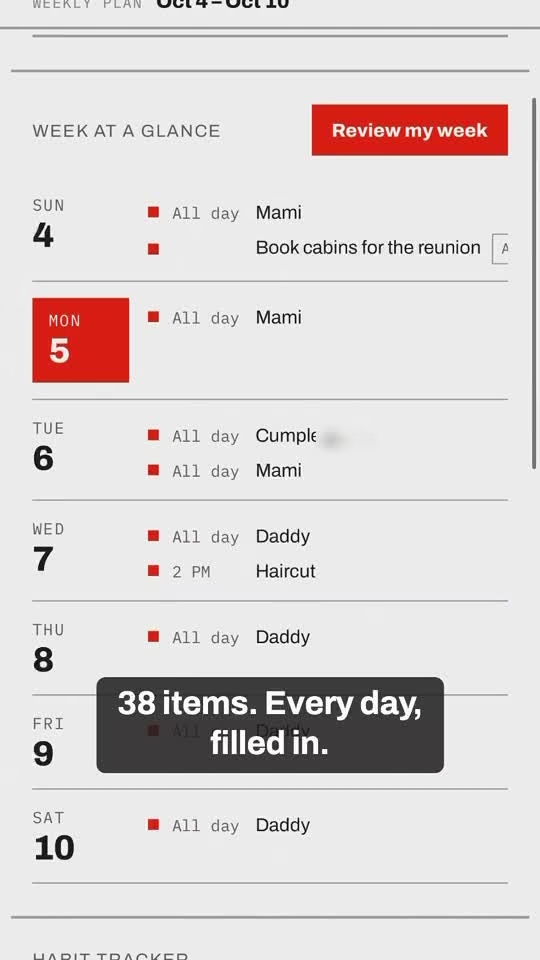
The official guide describes timed handwriting becoming events, dated notes becoming all-day items and list lines becoming to-dos. Monthly spreads and wall calendars are supported, with review and correction before import. The homepage offers two page scans per day without an account. This is a useful bridge for people who prefer writing but still need reminders. It is not a promise of perfect handwriting recognition: dates, wording and event lengths should be checked.
Planning beyond the daily schedule
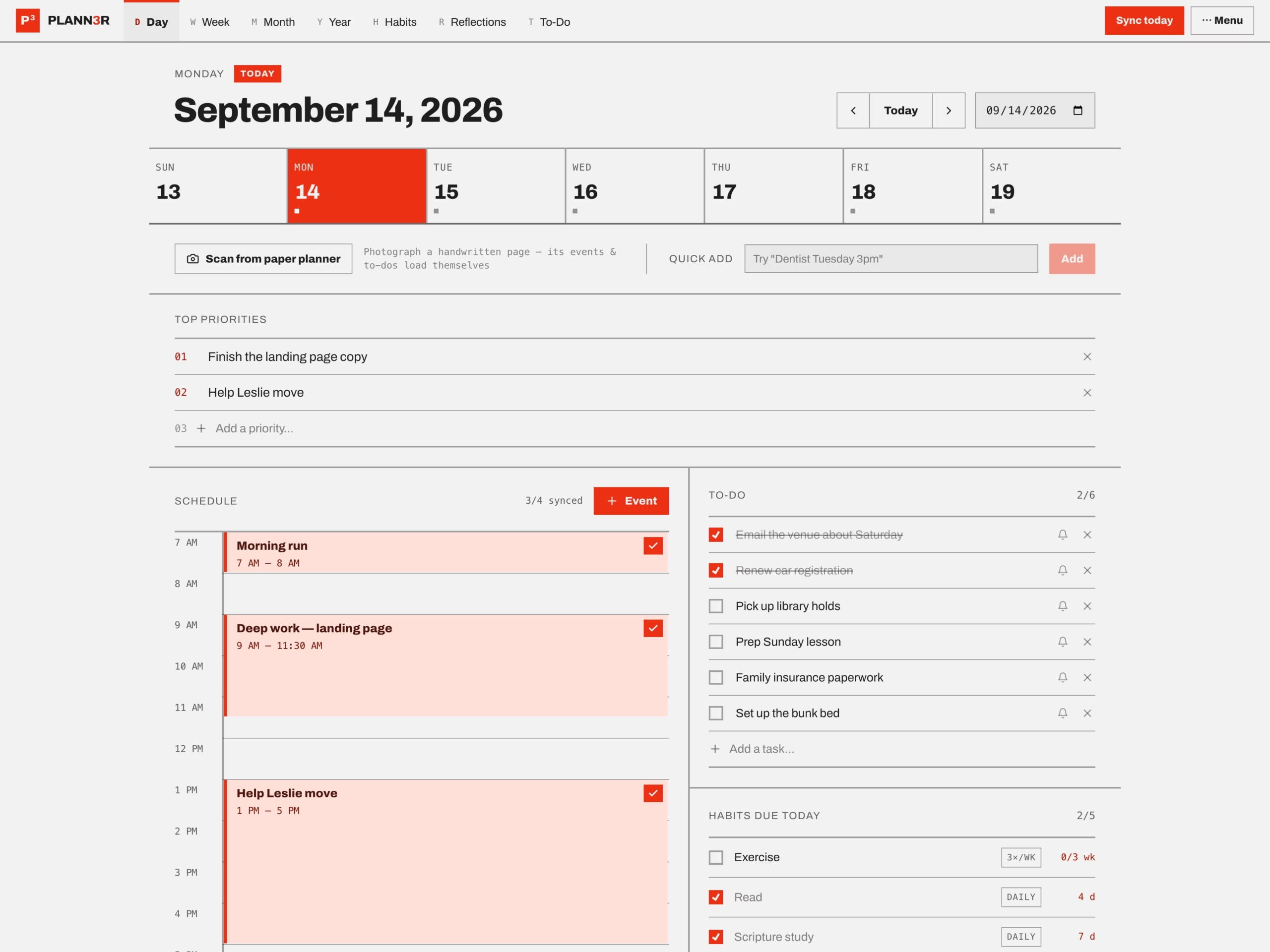
The Day view combines three priorities, a time-blocked schedule, to-dos, habits and a reflection. Week, Month and Year views connect longer-term plans
The PLANN3R is a personal planner built around day, week, month and year views. Its paper-scanning feature reads photographed planner pages into proposed events and to-dos, which you review before adding. Time blocks, goals, habits, reflections and calendar connections keep the resulting plan together.
Paper to a checked digital plan
The official guide describes timed handwriting becoming events, dated notes becoming all-day items and list lines becoming to-dos. Monthly spreads and wall calendars are supported, with review and correction before import. The homepage offers two page scans per day without an account. This is a useful bridge for people who prefer writing but still need reminders. It is not a promise of perfect handwriting recognition: dates, wording and event lengths should be checked.
Planning beyond the daily schedule
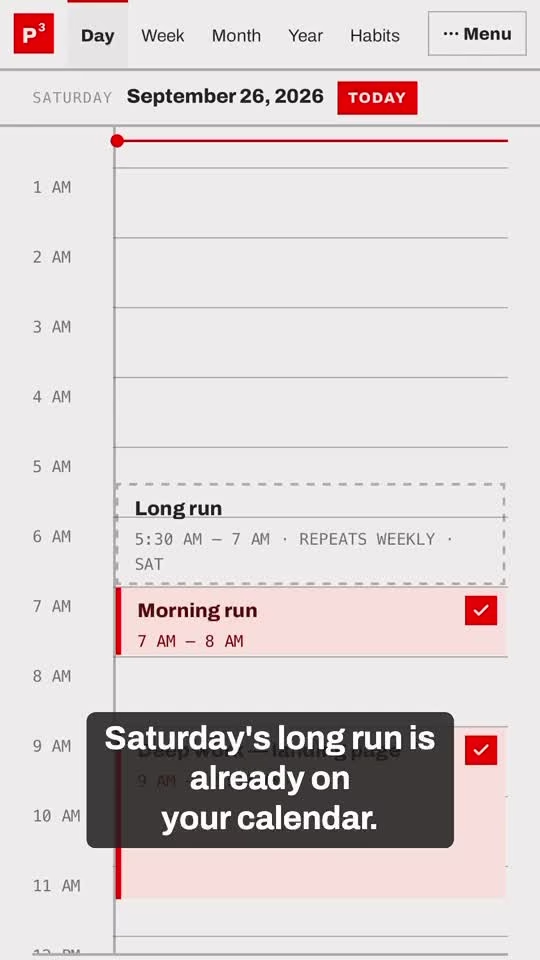
The Day view combines three priorities, a time-blocked schedule, to-dos, habits and a reflection. Week, Month and Year views connect longer-term plans to today’s work. Habits support daily, weekday, selected-day and times-per-week schedules, with streaks and a 12-week heatmap. AI Quick Add interprets plain-language entries; the goal planner suggests milestones and blocks; the weekly review summarizes recorded activity. Each AI result is a draft to approve, not a substitute for deciding what belongs on the calendar.
Calendar connections and devices
The website documents two-way Google and Outlook Calendar connections. Calendar subscriptions by link are read-only, while publishing to Apple Calendar is a separate link-based route. The browser app can be added to a home screen. The privacy policy also describes iPhone and Android app notifications and in-app subscriptions, but we did not verify store inventory in this review. This is a personal planner, not a shared team-project system.
Price and data handling
A seven-day trial needs no payment card. After the trial, the public price is $9.99 per month or $99 per year. The annual amount is billed once; its monthly equivalent is $8.25. Students using a school email are offered $49.50 per year. Guest/local use is also available, with two daily page scans.
Local mode keeps planner data in browser storage, but invoked AI scans still send the chosen photo for processing. The privacy policy names Anthropic’s Claude API for AI features and says scanned photos are deleted after being read. Signed-in plans and calendar tokens are stored on service infrastructure; reflection photos have separate storage. Web ad measurement uses Google Ads and Meta tags unless blocked by Global Privacy Control. Do not treat the product as entirely offline or no-upload.
Our assessment
The strongest fit is someone who plans on paper and needs a digital reminder layer without retyping every entry. The daily layout and habit schedules are also useful even without scanning. The trade-offs are a paid account for the ongoing connected workflow, manual review of AI readings and a narrower focus than team planning software. We reviewed official pricing, guide and legal pages, inspected the published day-view screenshot and walkthrough videos, and did not create an account, upload a page or connect a calendar. Recognition accuracy, notification reliability and synchronization behavior were not independently tested.
Who it's for
Best for
- Paper-planner users who need digital reminders
- Individuals combining goals and habits with time blocks
- People reviewing handwritten schedules before calendar import
Not ideal for
- Shared team-project management
- Users expecting perfect handwriting recognition
- Strictly offline or no-upload planning workflows
How we tested
Reviewed official homepage pricing, About, Guide, Privacy and Terms on October 12, 2026. Inspected the official day-view screenshot and frames from the month-scan and goal-plan walkthrough videos. No account created, page uploaded, calendar connected or trial activated. Recognition accuracy, sync and notification reliability were not independently tested.
At a glance
| Pricing | Free+Paid |
|---|---|
| Starting price | $9.99/month or $99/year |
| Free plan | Yes |
| Free trial | Yes (7 days) |
| Pricing page | View pricing |
| Platforms | Web app |
| API | No |
| Company | The PLANN3R LLC |
| Apps Insight Score | 40/100 |
Why this app scored 40/100
Editorial Review 19/30
- Product quality 6/10 6/10
- Ease of use 3/5 3/5
- Feature depth 4/5 4/5
- Innovation 3/5 3/5
- Value for money 2/3 2/3
- Recommendation confidence 1/2 1/2
Trust & Verification 8/25
- AppsInsight badge installed Badge not installed 0/15
- HTTPS website HTTPS 1/1
- Business support email Provided 1/1
- Privacy policy published Provided 2/2
- Terms of service published Provided 1/1
- Security certifications None listed 0/2
- Knowledge base / help center Provided 2/2
- Social profiles linked 2 profiles linked 1/1
Community 0/20
- Verified reviews & rating 0 reviews (5 needed) 0/15
- Recent reviews No reviews yet 0/5
Product Profile 10/20
- Detailed description 500 words 3/3
- Screenshots 2 screenshots 1/3
- Demo video No demo video 0/2
- FAQ 6 items 1/2
- Feature list 8 items 1/2
- Pricing published Plan tiers published 3/3
- Pros & cons Pros & cons listed 1/1
- Integrations 0 integrations 0/2
- API available No 0/1
- Company details 2 of 3 details filled 0/1
Freshness 3/5
- Listing recently updated Updated 0 days ago 3/3
- Recent changelog entry No changelog entries 0/2
Editorial points are assigned by AppsInsight editors and cannot be purchased or influenced.
Built for
Project management
Key features
Paper planner scanning
Day, week, month and year views
Habit tracking
AI Quick Add
Goal planner
Weekly review
Calendar connections
Reflections and reminders
Key benefits
- Reduce retyping when plans begin on paper.
- Review AI readings before they become calendar entries.
- Keep priorities, habits and tasks beside the daily schedule.
- Use flexible habit cadences rather than an every-day streak only.
Pricing
Guest / local mode
$0 /mo
- No account; planner data in browser storage; two page scans/day; AI scans still send photos for processing.
Monthly
$9.99 /mo
- Full paid planner after seven-day no-card trial; monthly billing.
Yearly
$99 billed annually
- $8.25/month equivalent; billed once annually; same planner.
Student yearly
$49.50 billed annually
- School email required; half-price annual offer.
Pros & Cons
Pros
- Paper-scanning workflow includes review and correction.
- Official guide covers all-day events, repeat tasks and habit schedules.
- Seven-day trial needs no payment card; guest scanning exists.
- Public pricing, privacy policy and support contact are available.
Cons
- Personal planner, not a shared team-management tool.
- Handwriting recognition and calendar sync were not independently tested.
- Connected account workflow requires payment after the trial.
- Local mode still sends invoked AI scans for server-side processing.
Screenshots & media
User reviews
No reviews yet. Be the first to review this app.
Already have an account? Log in to track your reviews.